Physical Address
304 North Cardinal St.
Dorchester Center, MA 02124
Physical Address
304 North Cardinal St.
Dorchester Center, MA 02124

Explore practical guides and tools for Microsoft 365, Azure, and PowerShell. Enhance your cloud security and admin skills with expert insights and automation tips.
Explore practical guides and tools for Microsoft 365, Azure, and PowerShell. Enhance your cloud security and admin skills with expert insights and automation tips.
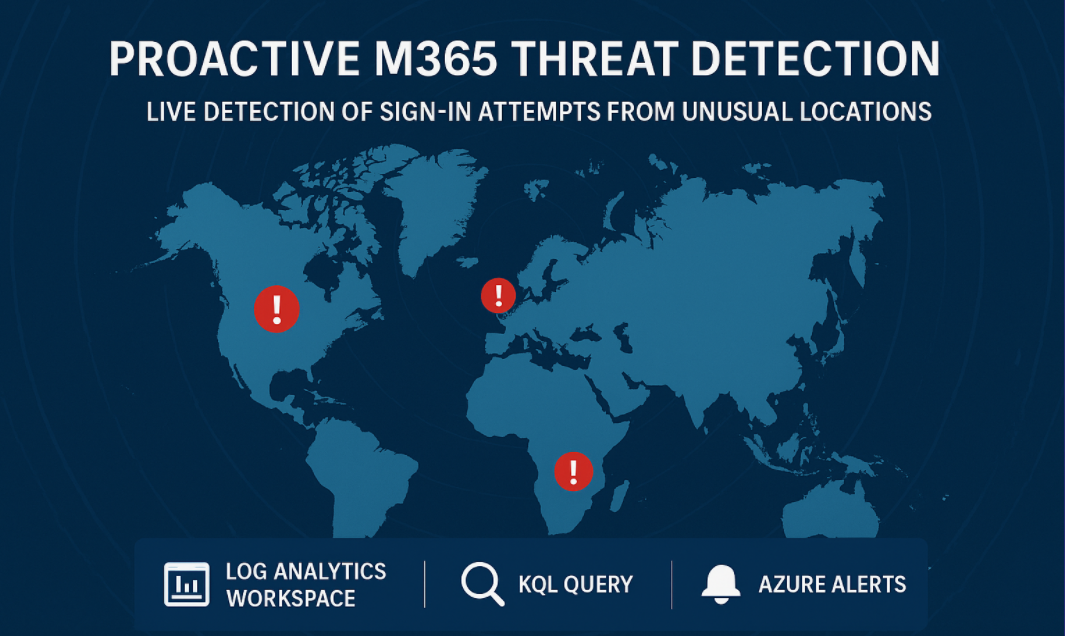
In modern cloud environments, protecting user identities is a top priority. Conditional Access (CA) policies are the gold standard to enforce access controls, but many organizations face a common challenge : employees frequently travel.
In such cases, enforcing a strict CA policy that only allows logins from a fixed set of countries (e.g., Canada, United States) may not be feasible. However, this doesn’t mean you should remain blind to suspicious activity. That’s where proactive monitoring with KQL (Kusto Query Language) becomes invaluable.
When Conditional Access cannot be applied to block countries outright, administrators still need visibility into :
By continuously monitoring login attempts outside of your “trusted” geography, you can stay one step ahead and detect potential compromises early.
Before running this query, ensure you have the following in place:
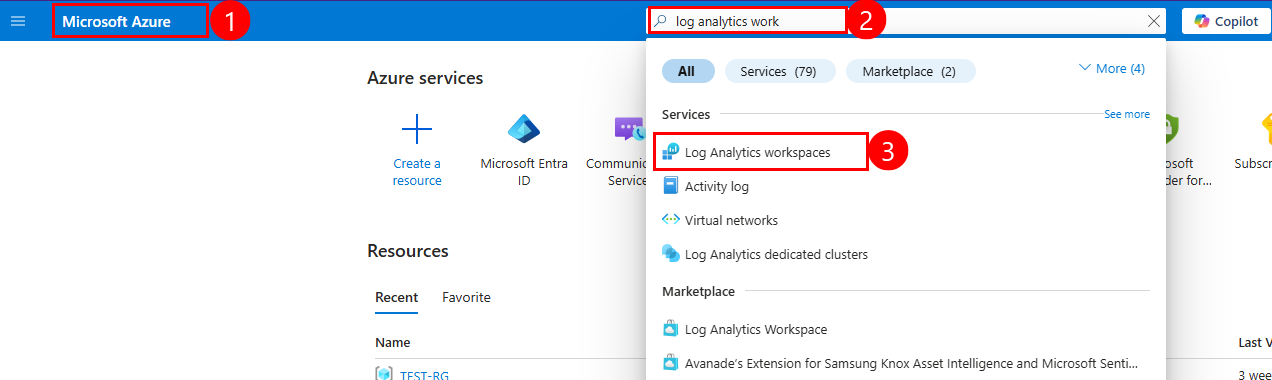
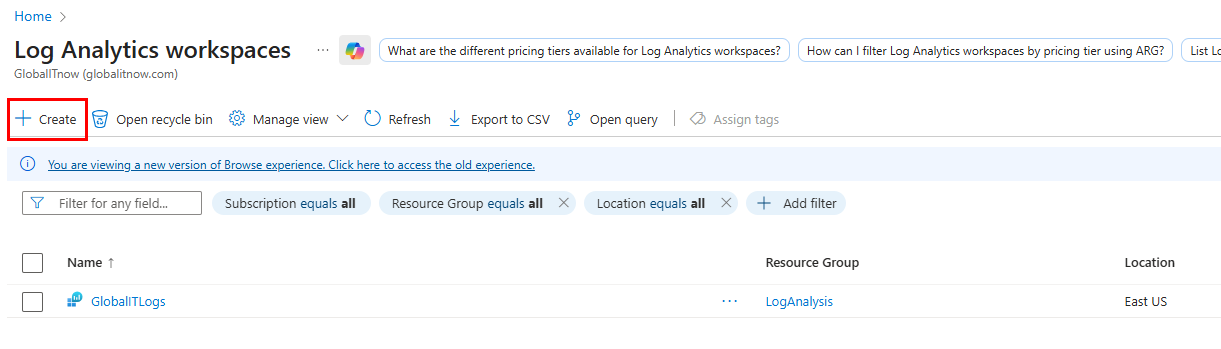
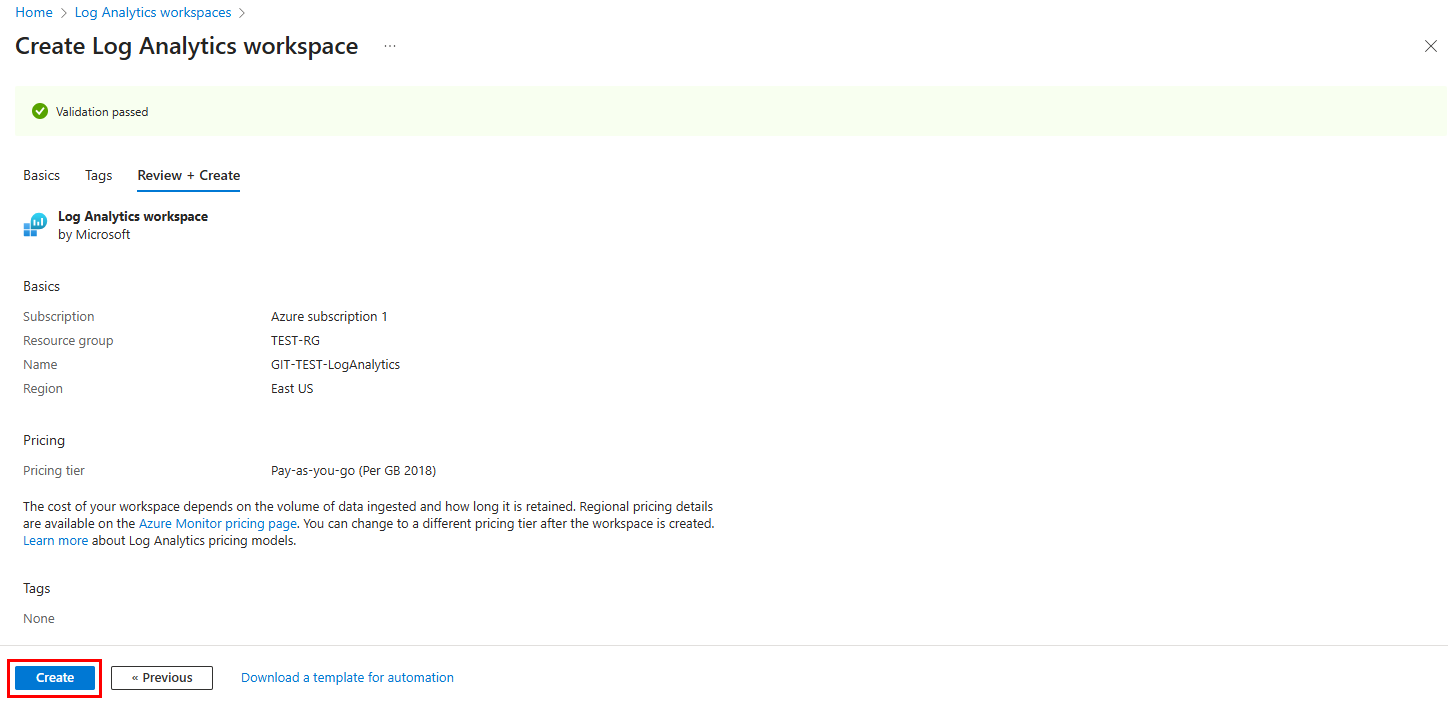
SecurityLogs).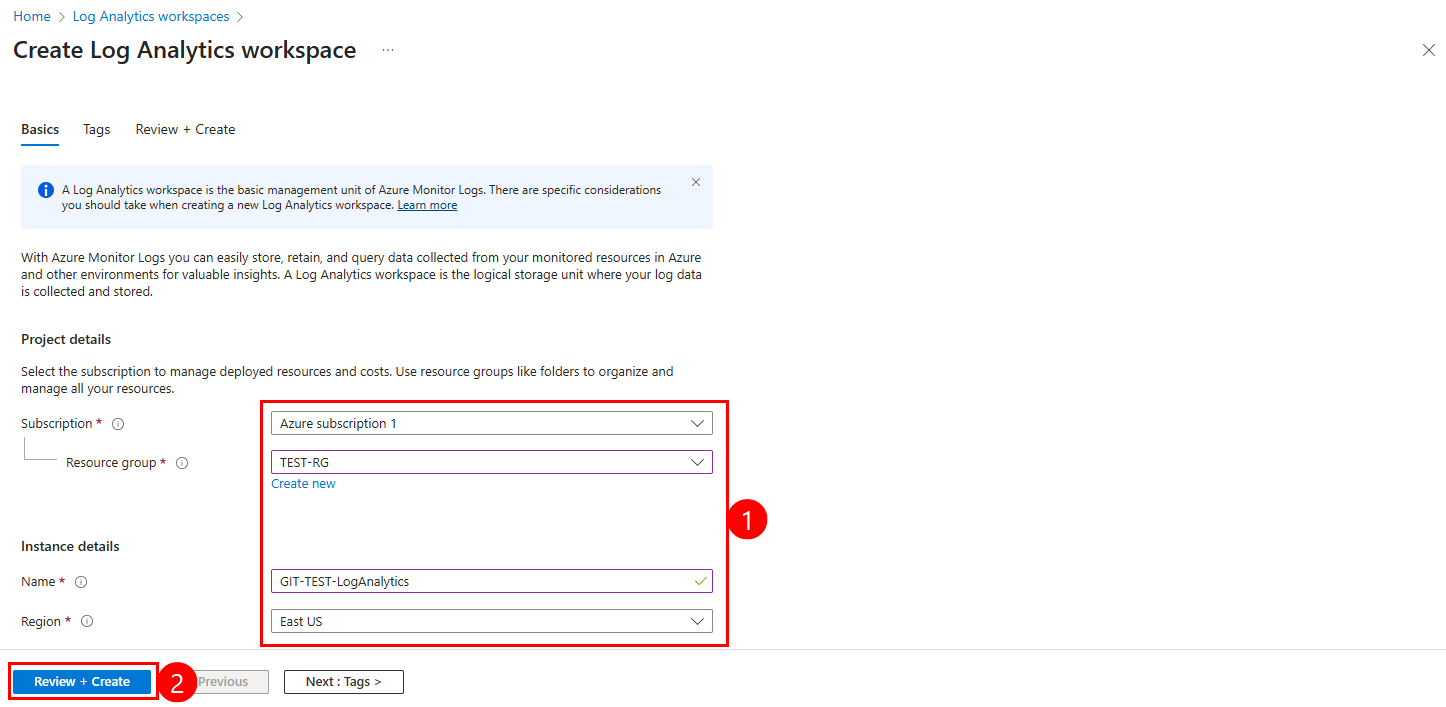
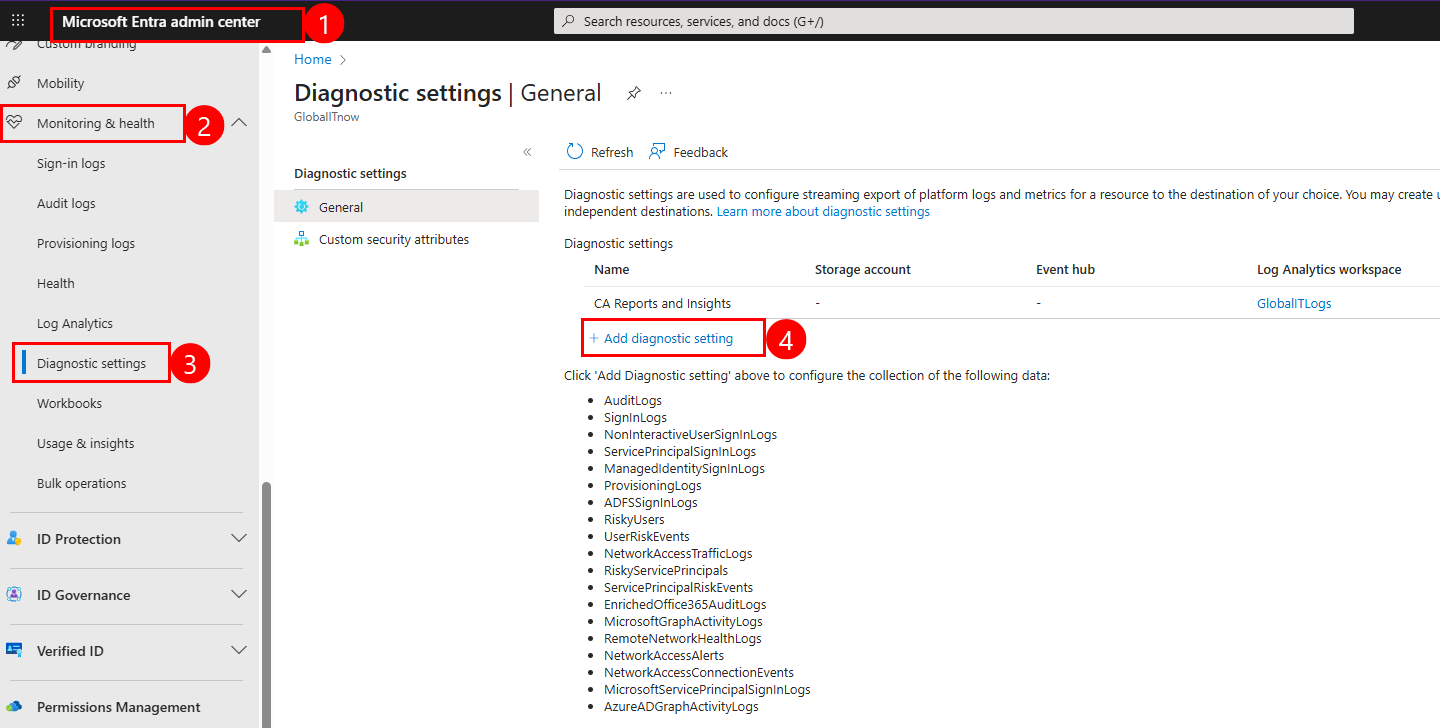
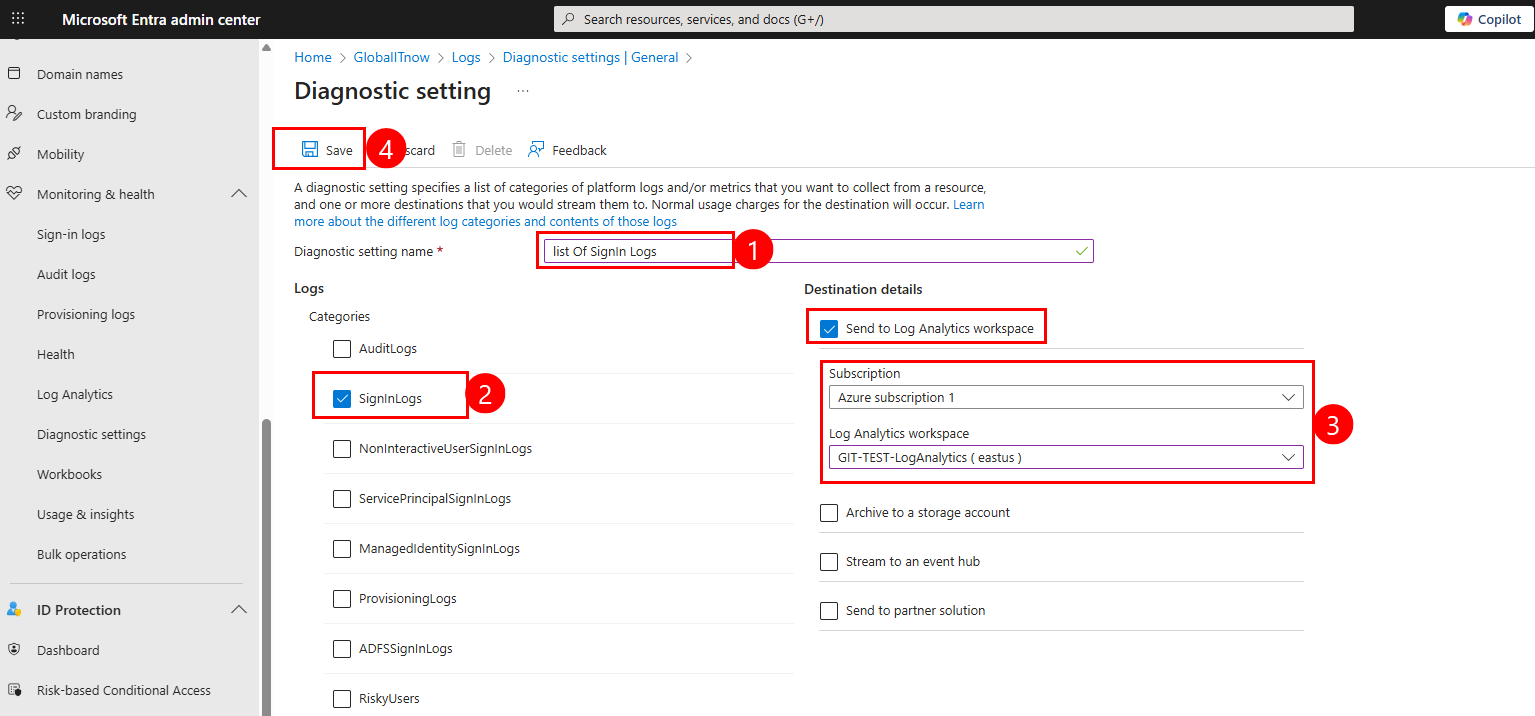
Once this is set up, you will start seeing SigninLogs in your workspace within a few minutes to an hour, depending on activity.
In this example, I connected via VPN from both the United Kingdom and the Netherlands to validate the functionality of the KQL query. This approach served two key purposes: first, to ensure that the query returns actual results; and second, because we cannot move forward with creating notifications unless the query produces relevant data.
So, to be able to execute the query :
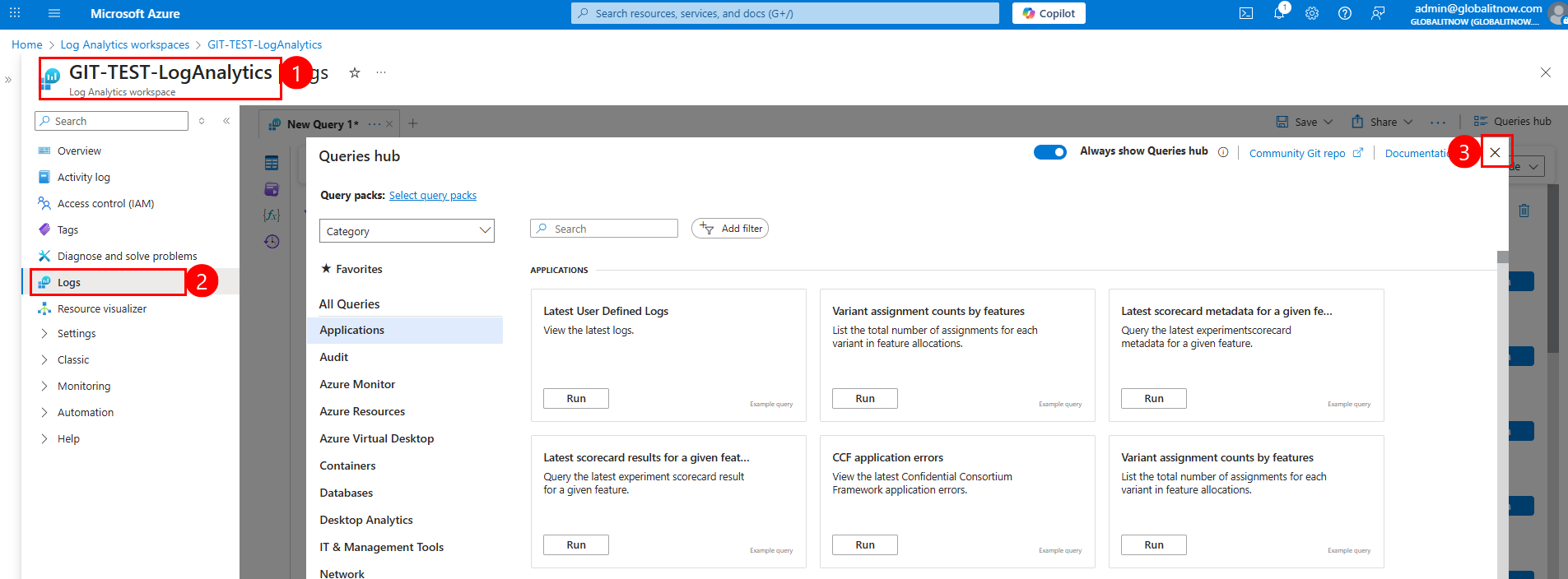
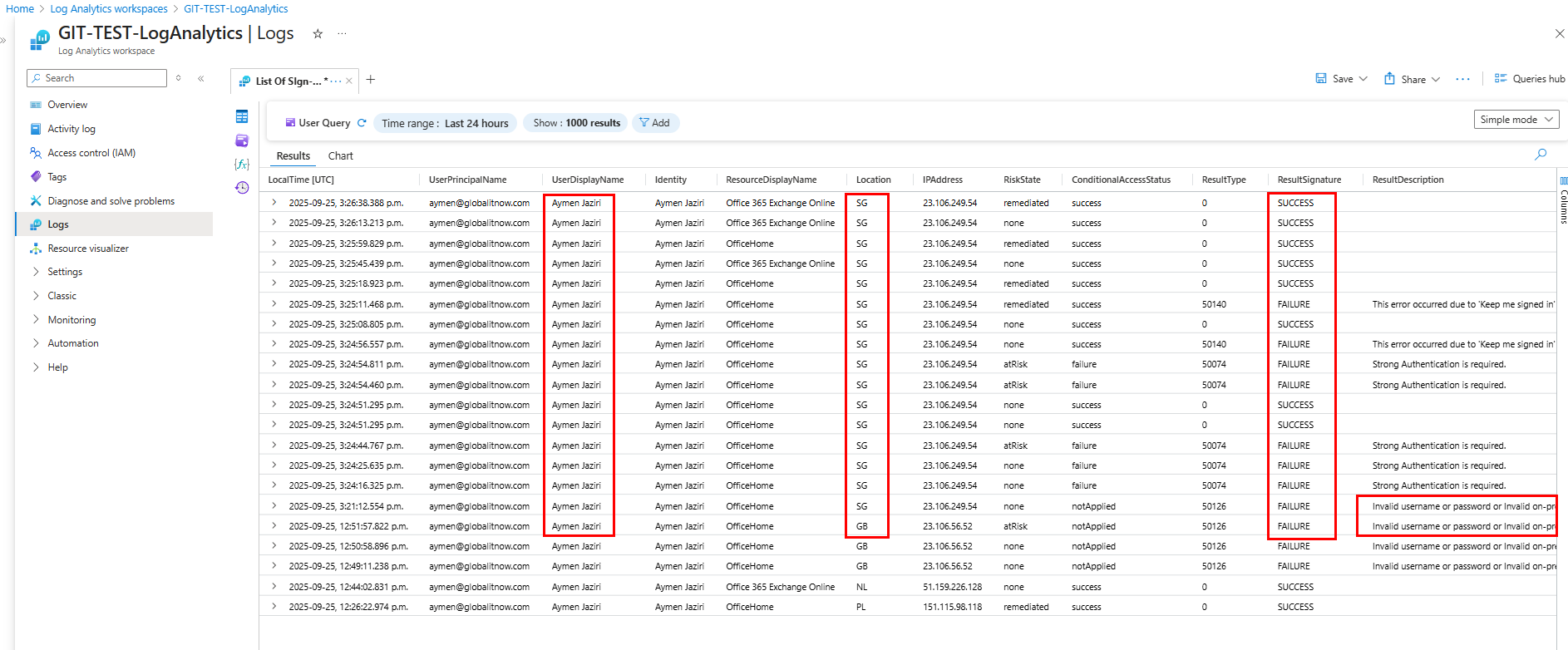
Review the results in the table below, which includes details like : LocalTime, UserPrincipalName , Location , IPAddress, RiskState, ResultDescription.
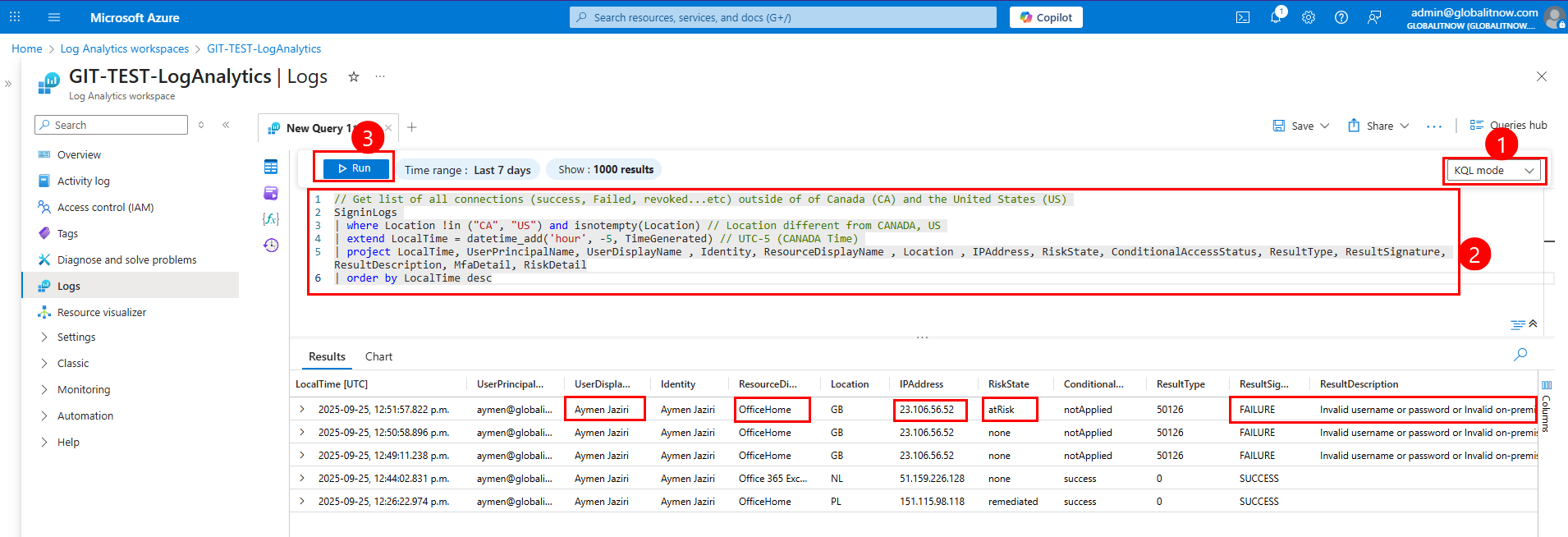
Below is the KQL query. This query detects all sign-in attempts (successful or failed) outside of Canada (CA) and the United States (US), then enriches the results with a human-readable meaning for each result type.
You can change locations (third line of code) by changing “CA” and “US” then adding your specific locations.
// Get list of all connections (success, Failed, revoked...etc) outside of of Canada (CA) and the United States (US)
SigninLogs
| where Location !in ("CA", "US") and isnotempty(Location) // Location different from CANADA, US
| extend LocalTime = datetime_add('hour', -5, TimeGenerated) // UTC-5 (CANADA Time)
| project LocalTime, UserPrincipalName, UserDisplayName , Identity, ResourceDisplayName , Location , IPAddress, RiskState, ConditionalAccessStatus, ResultType, ResultSignature, ResultDescription, MfaDetail, RiskDetail
| order by LocalTime desc
Here is the result of executing the KQL query :

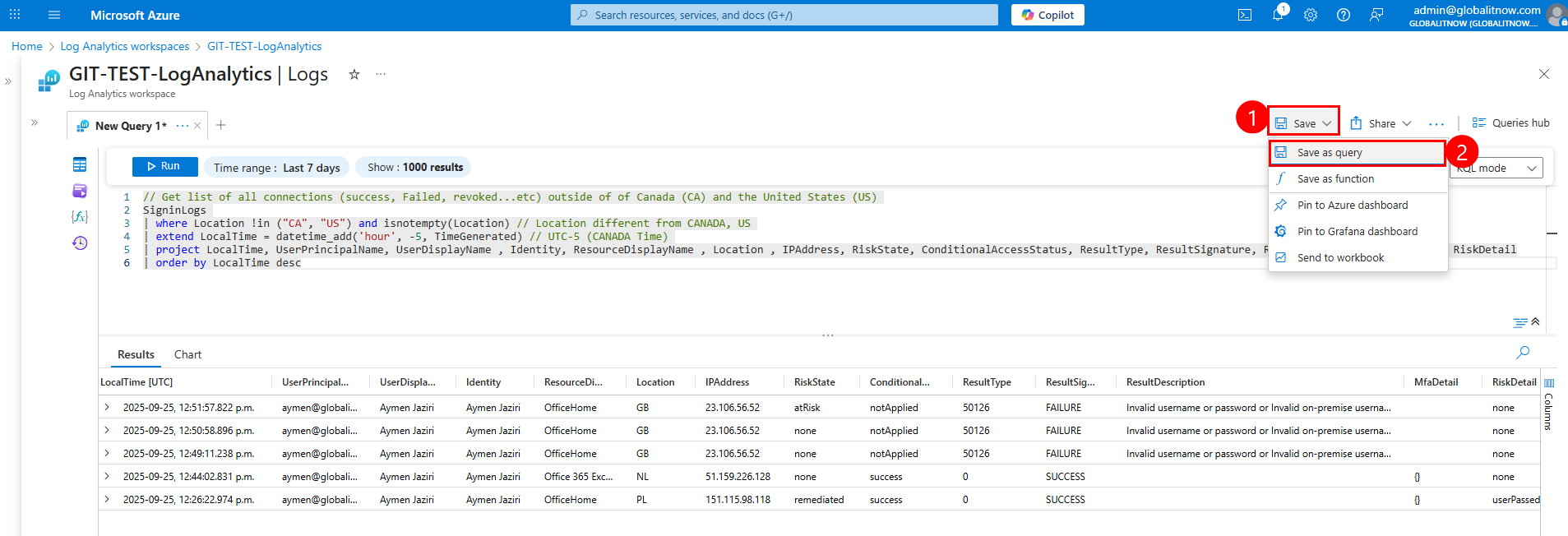
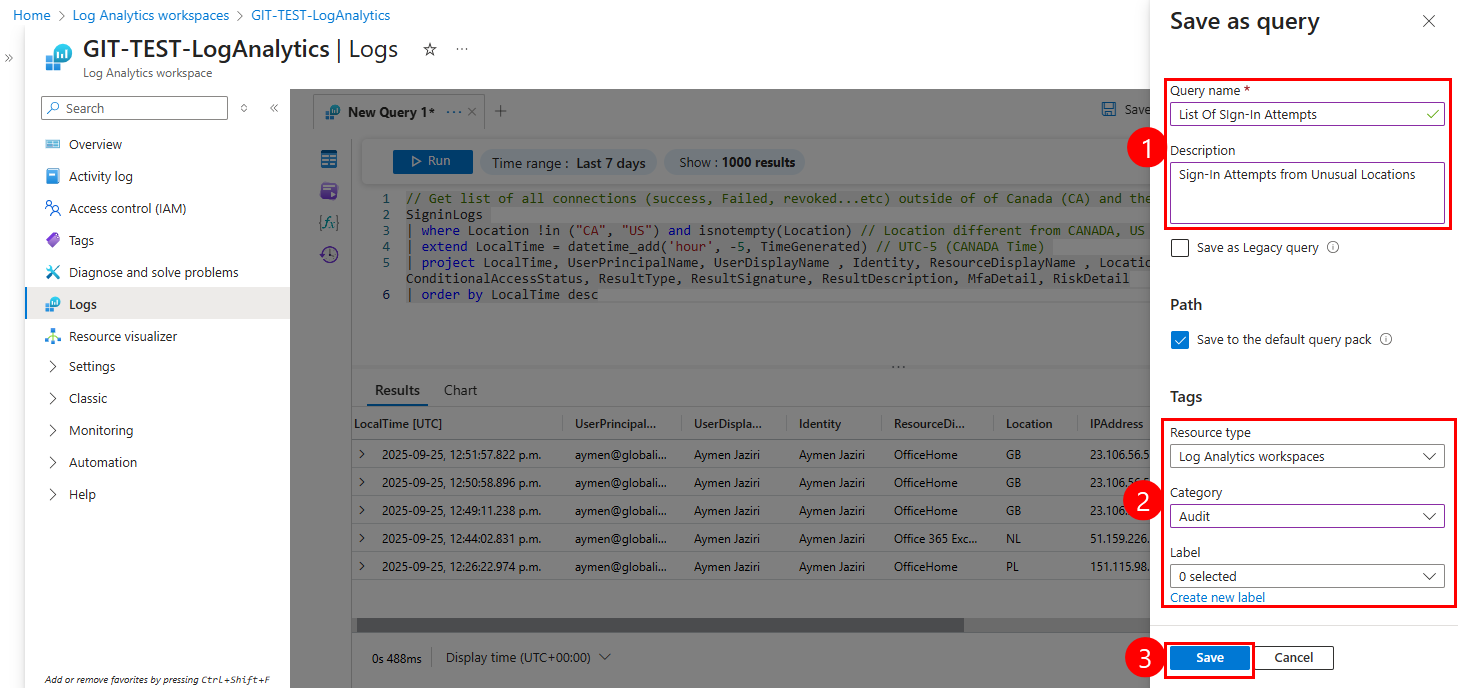
"List of Sign-in Attempts". This is the title under which your query will be saved for future use."Sign-in Attempts from Unusual Locations". Helps explain the purpose of the query to other users or future you."Log Analytics workspaces""Audit"This saves the query with all the metadata so it can be reused or referenced later.
Keep the query name in Notepad because we’ll use it later (
List of Sign-in Attempts).
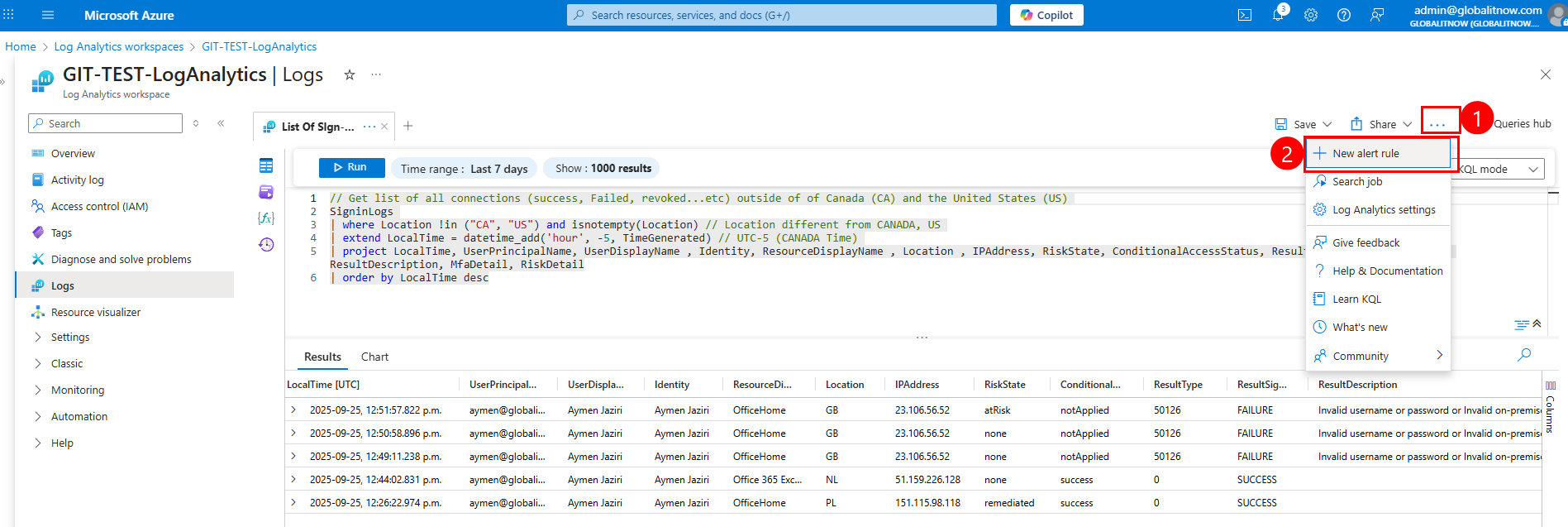
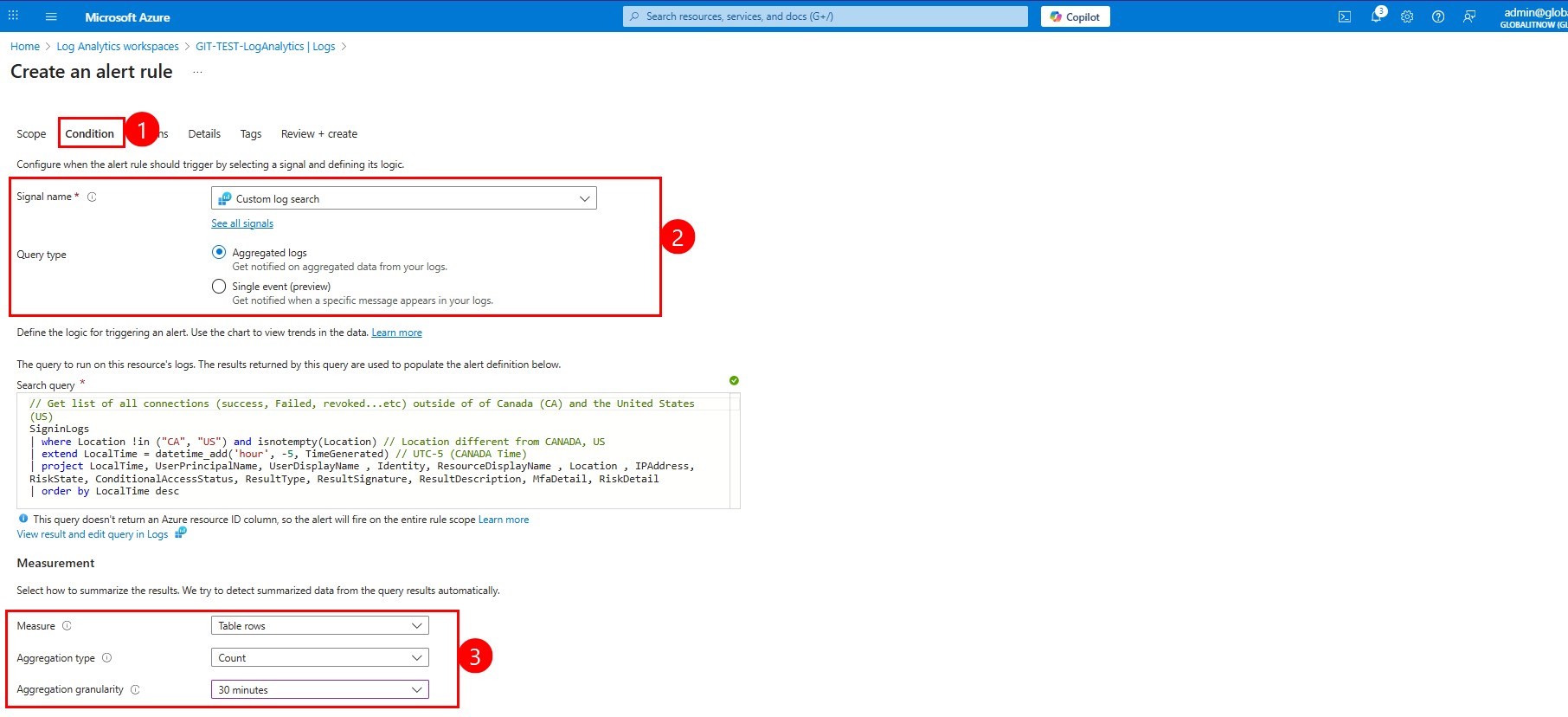
In the Condition section:
In the Measurement section:
Aggregation granularity Defines the time window over which the data is aggregated. Azure will evaluate the query every 30 minutes and count how many matching rows appear in that period.
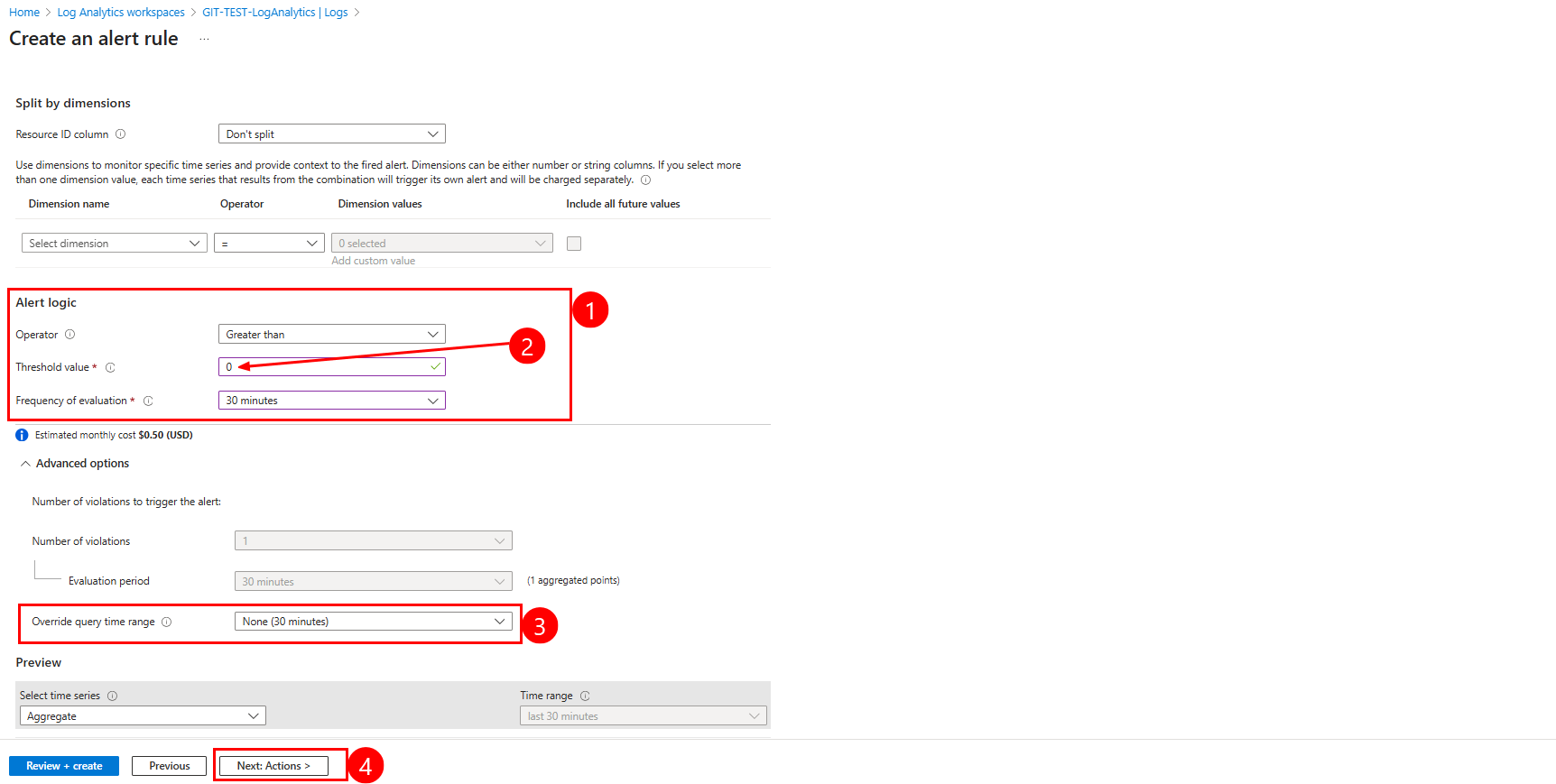
Click “Next: Actions” to configure what happens when the alert is triggered (e.g., email, webhook, automation).
Define Alert Logic
In the “Action” section :
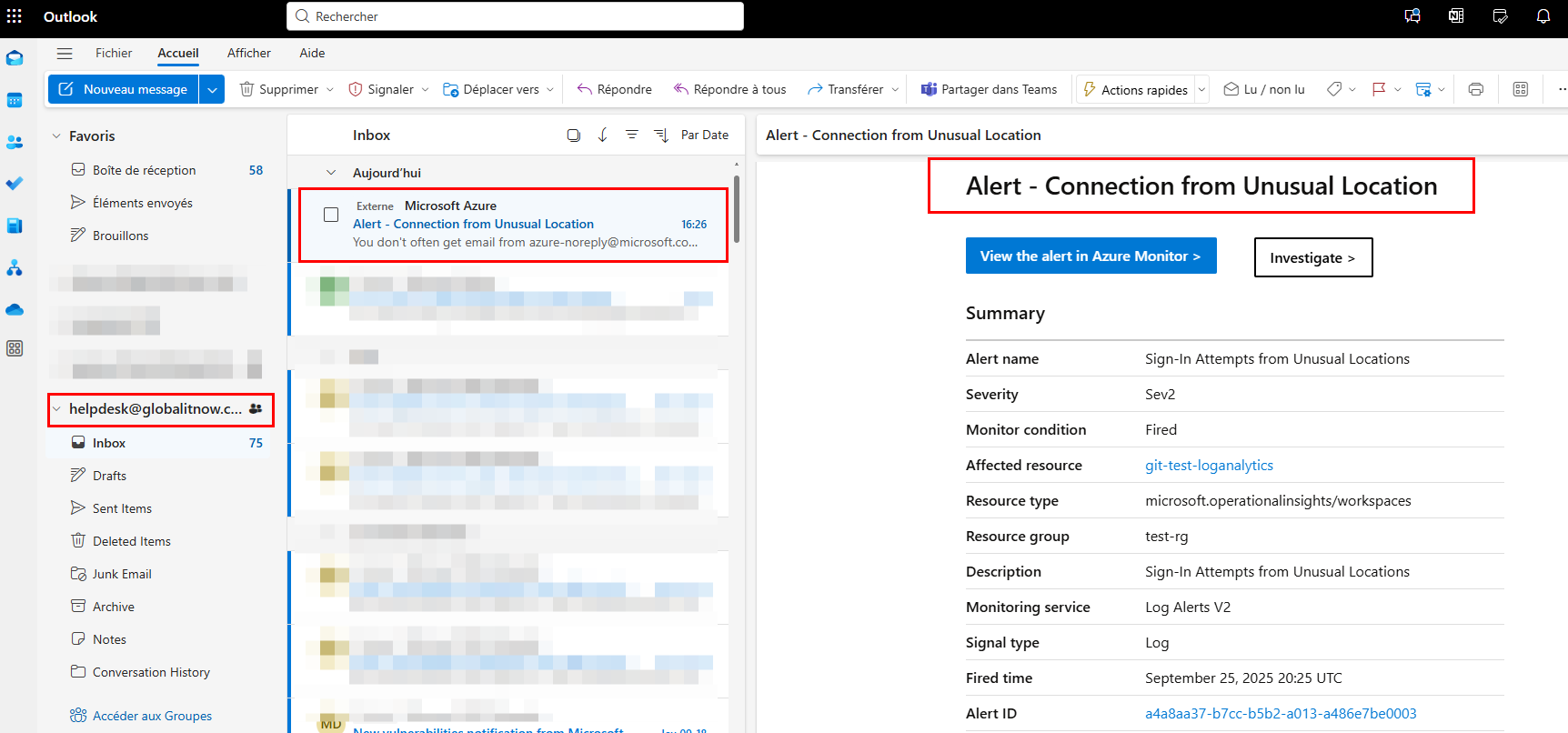
"Unexpected Signin Email Notification" to identify the group."Unexp-Signin" for easier reference.helpdesk@globalitnow.com, admin@globalitnow.com)."Alert - Connection from Unusual Location".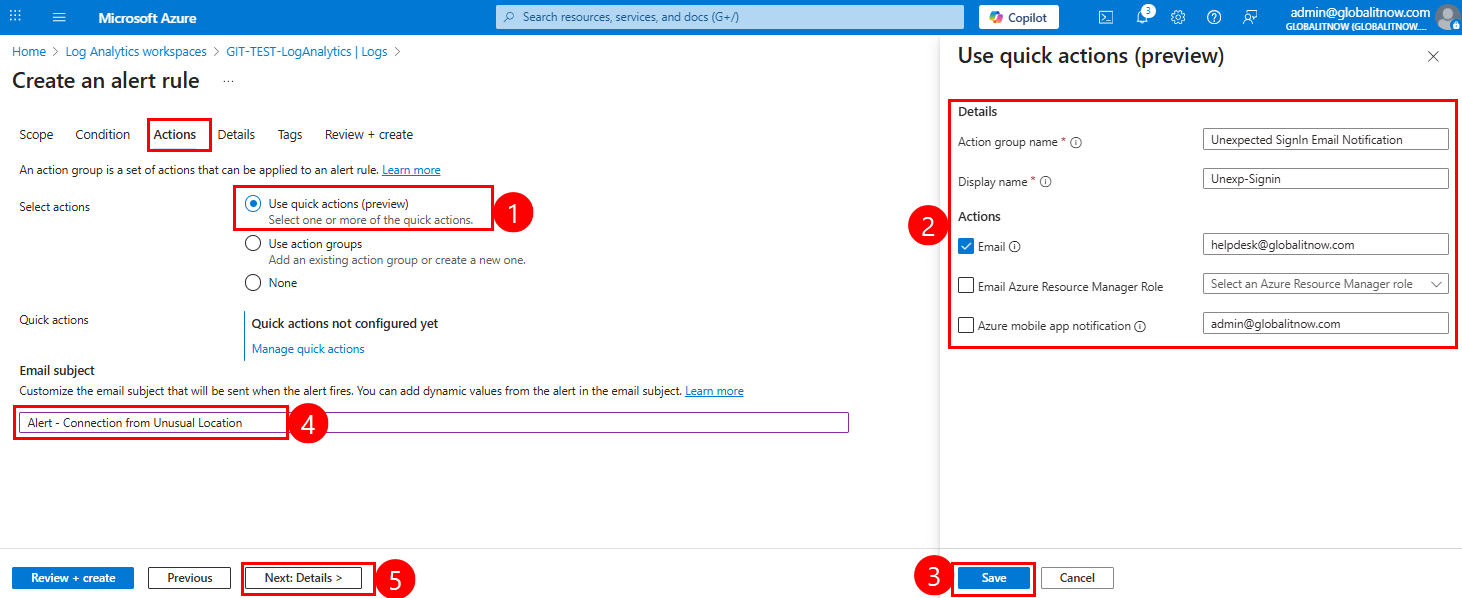
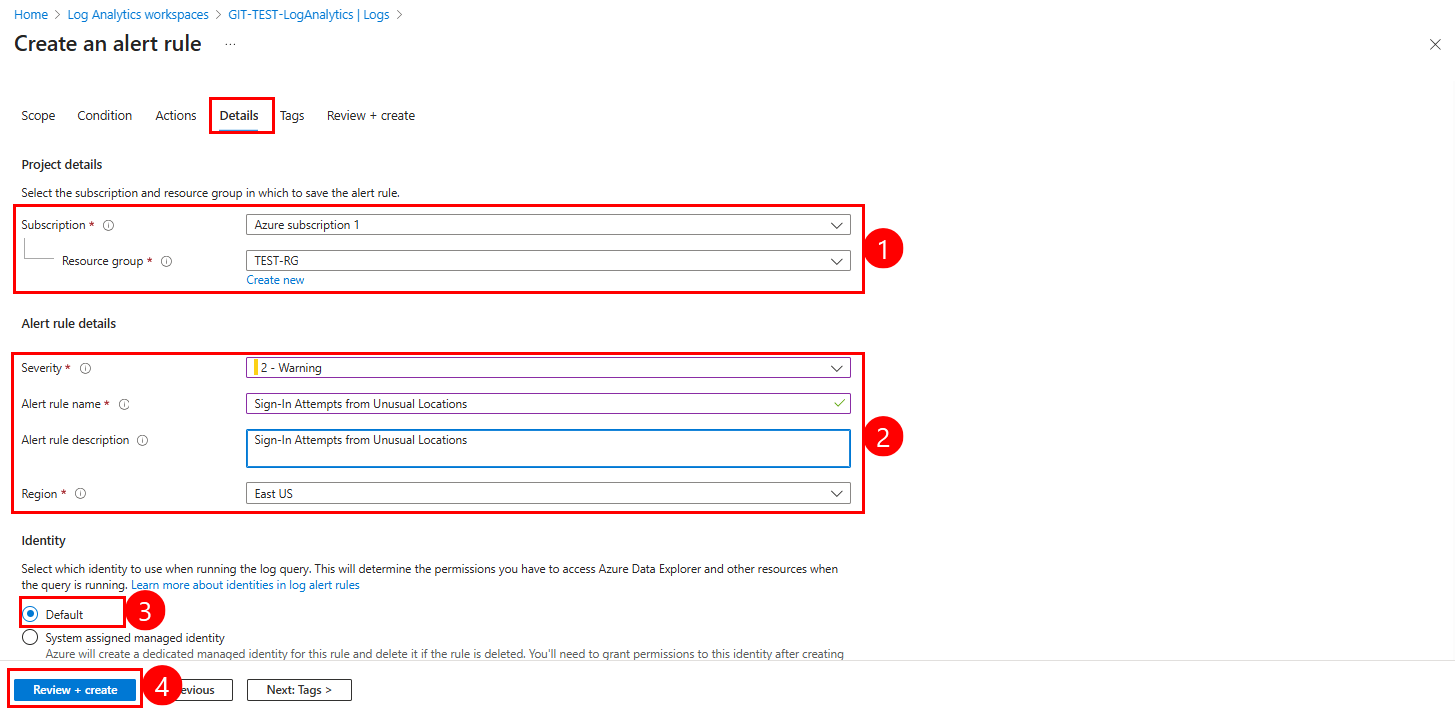
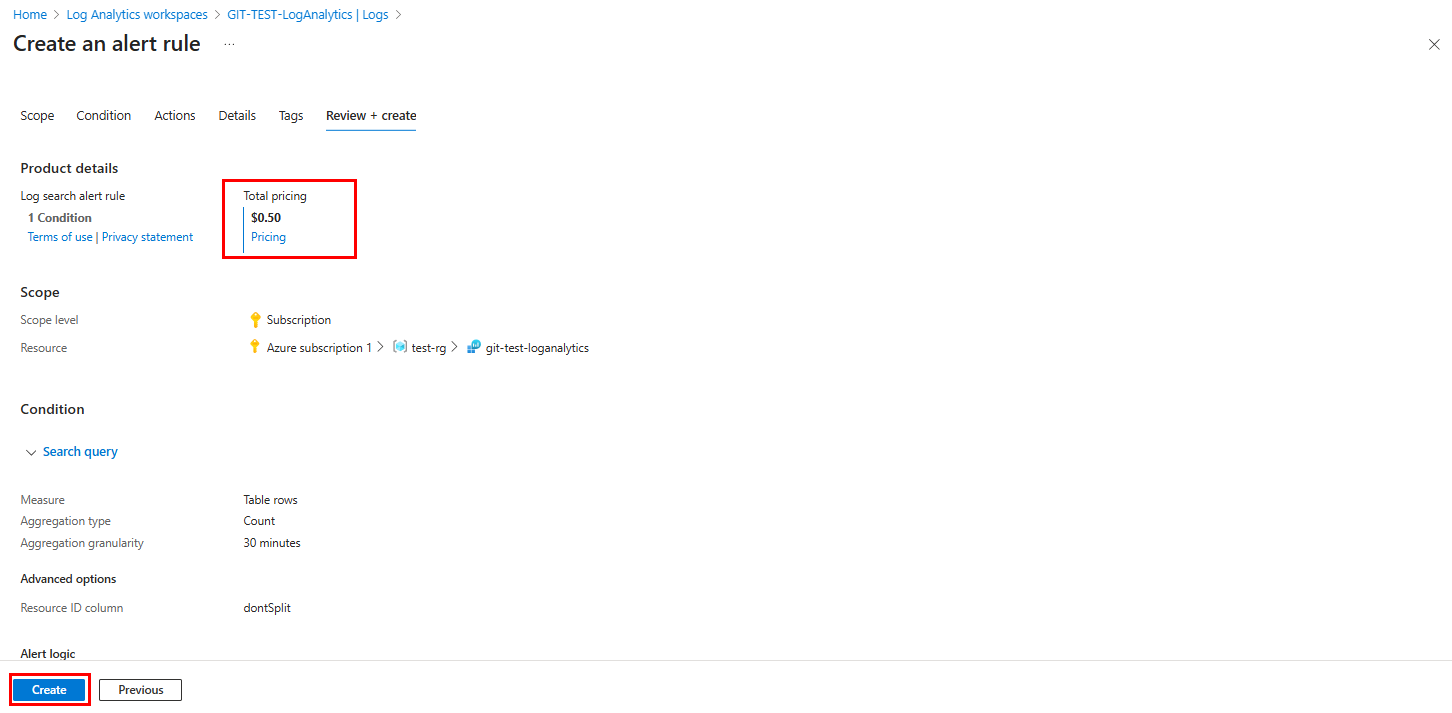
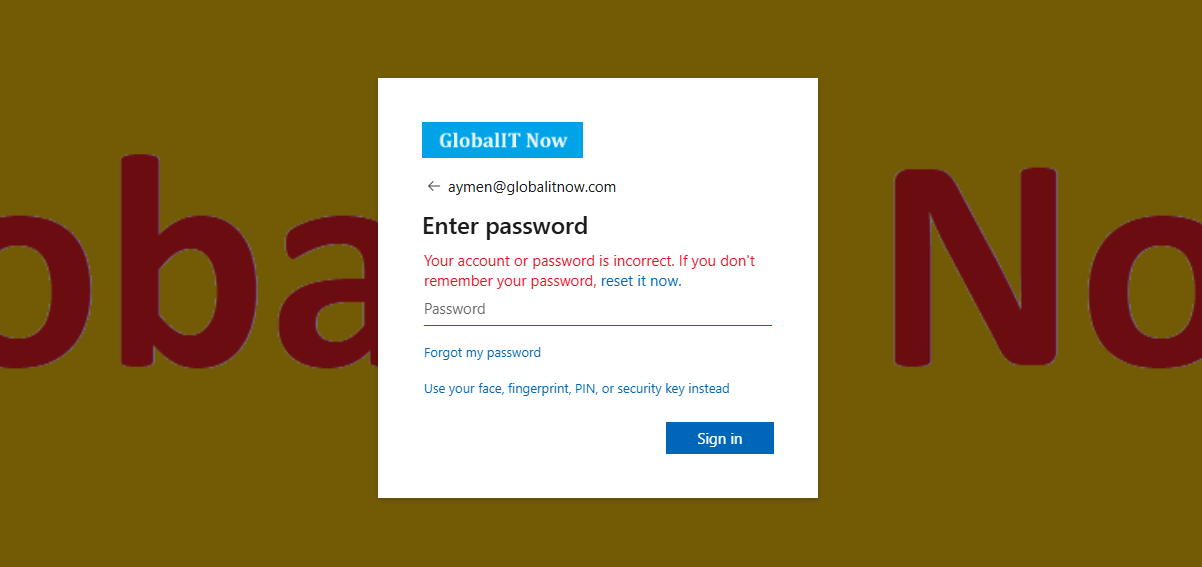
In this example, I’ll try to connect with wrong Password, I should receive notification in my system Ticket immediately
Here is the notification Email sent to HelpDesk :
Lets verify directly the Query results :
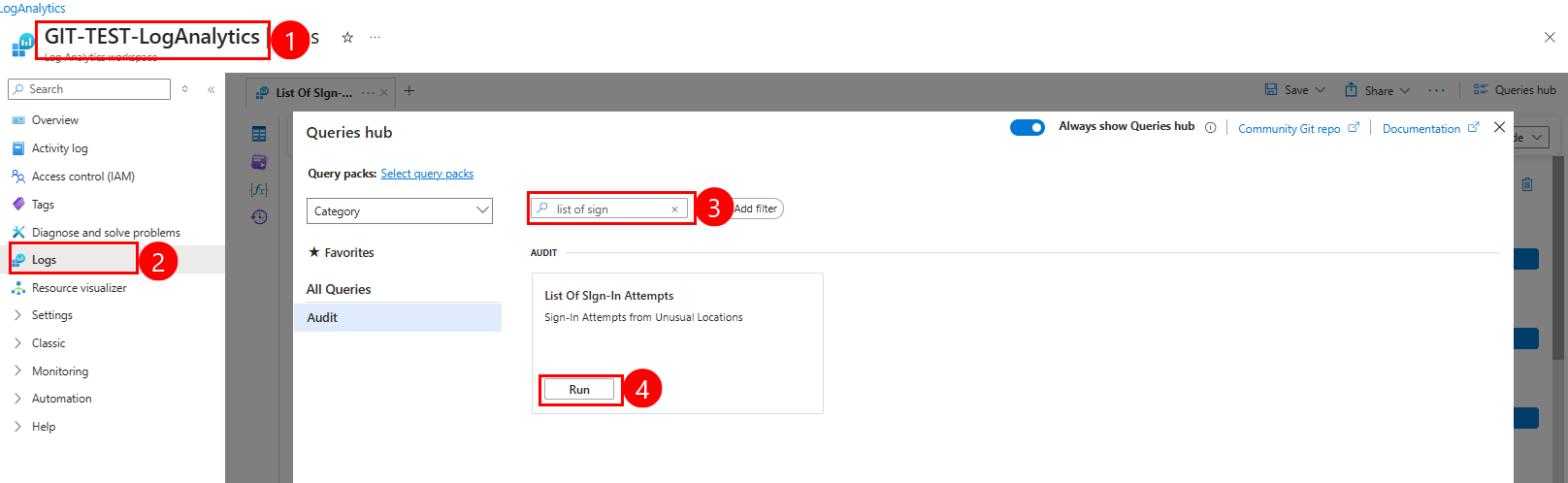
From this window you can see all KQL query results :
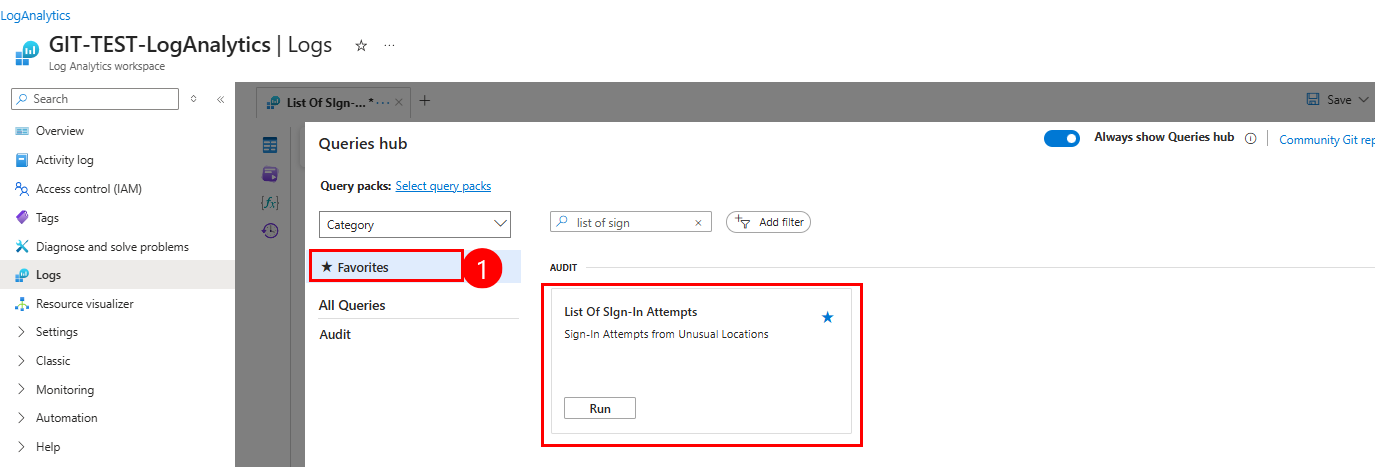
Add your Query to Favorites for quick access.
List of Sign-in Attempts“.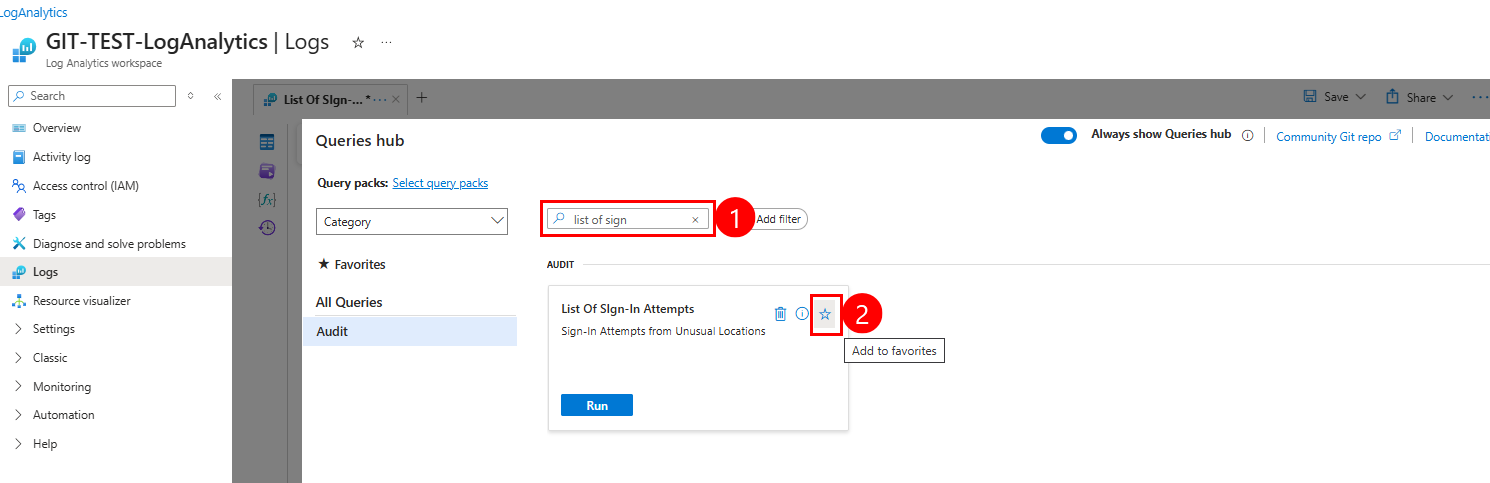
If you want to exclude some locations from Query results (Office location or Trusted IPs), you can use this KQL Query :
You need to change these IP Addresses (“1.1.1.1”, “8.8.8.8”) by your Office location or Trusted IPs.
// allowed offices public IP to be excluded from trigger
let AllowedIPs = dynamic([ "1.1.1.1", "8.8.8.8" ]);
// Get list of all connections (success, Failed, revoked...etc) outside of coutry list + IP list
SigninLogs
| where Location !in ("CA", "US") and isnotempty(Location) // Location different from CANADA, US
| where IPAddress !in~ (AllowedIPs) // exclude Office IP Addresses
| extend LocalTime = datetime_add('hour', -5, TimeGenerated) // UTC-5 (CANADA Time)
| project LocalTime, UserPrincipalName, UserDisplayName , Identity, ResourceDisplayName , Location , IPAddress, RiskState, ConditionalAccessStatus, ResultType, ResultSignature, ResultDescription, MfaDetail, RiskDetail
| order by LocalTime desc
Thanks