Physical Address
304 North Cardinal St.
Dorchester Center, MA 02124
Physical Address
304 North Cardinal St.
Dorchester Center, MA 02124

Explore practical guides and tools for Microsoft 365, Azure, and PowerShell. Enhance your cloud security and admin skills with expert insights and automation tips.
Explore practical guides and tools for Microsoft 365, Azure, and PowerShell. Enhance your cloud security and admin skills with expert insights and automation tips.

In many enterprise environments, Microsoft Defender for Endpoint (MDE) is onboarded for its EDR sensor, advanced hunting, and Microsoft Defender XDR integration, but a third-party antivirus such as CrowdStrike Falcon, SentinelOne, or Trend Micro is the registered primary AV. The moment that third-party product registers itself with the Windows Security Center, Microsoft Defender Antivirus drops into passive mode.
Passive mode is a quiet but consequential state. The Defender AV engine stops actively scanning the filesystem: real-time protection, on-access scanning, and the protection features bound to that engine, including Attack Surface Reduction (ASR) rules, no longer enforce anything. Your devices are still onboarded to MDE and still send telemetry, but a whole class of preventive controls silently goes dark.
This is the exact gap EDR in block mode was built to close.
Think of the two layers Defender provides on an endpoint:
By default, when Defender is in passive mode and the EDR sensor detects a malicious artifact, it can detect and alert , but it does not remediate. It assumes the primary AV (CrowdStrike, Trend, SentinelOne…) owns the blocking decision. If that primary AV misses the threat, the malicious artifact survives.
EDR in block mode changes this behavior. It authorizes the Defender EDR layer to block and remediate malicious artifacts it detects through behavioral analysis , even when Defender AV is passive and a third-party AV is primary. It becomes a post-breach backstop: if the primary AV (CrowdStrike, Trend, SentinelOne…) misses something, Microsoft’s behavioral engine can still contain it.
Critically, EDR in block mode operates on post-breach detections. It is not a substitute for pre-execution prevention (which is what ASR rules and real-time AV provide). It is a complementary second line of defense.
Before enabling EDR in block mode, confirm the following :
Licences
Administrator roles
Antivirus mode
Get-MpComputerStatus | Select-Object AMRunningMode, RealTimeProtectionEnabled, IsTamperProtected, AntivirusEnabled
If AMRunningMode returns Passive mode , you are in the scenario where EDR in block mode delivers its value. If it returns Not running or the engine is disabled, fix that first. Tamper Protection should be enabled to prevent local tampering.
EDR in block mode is a tenant-level setting. Enable it once and it applies to all eligible onboarded devices:
security.microsoft.com).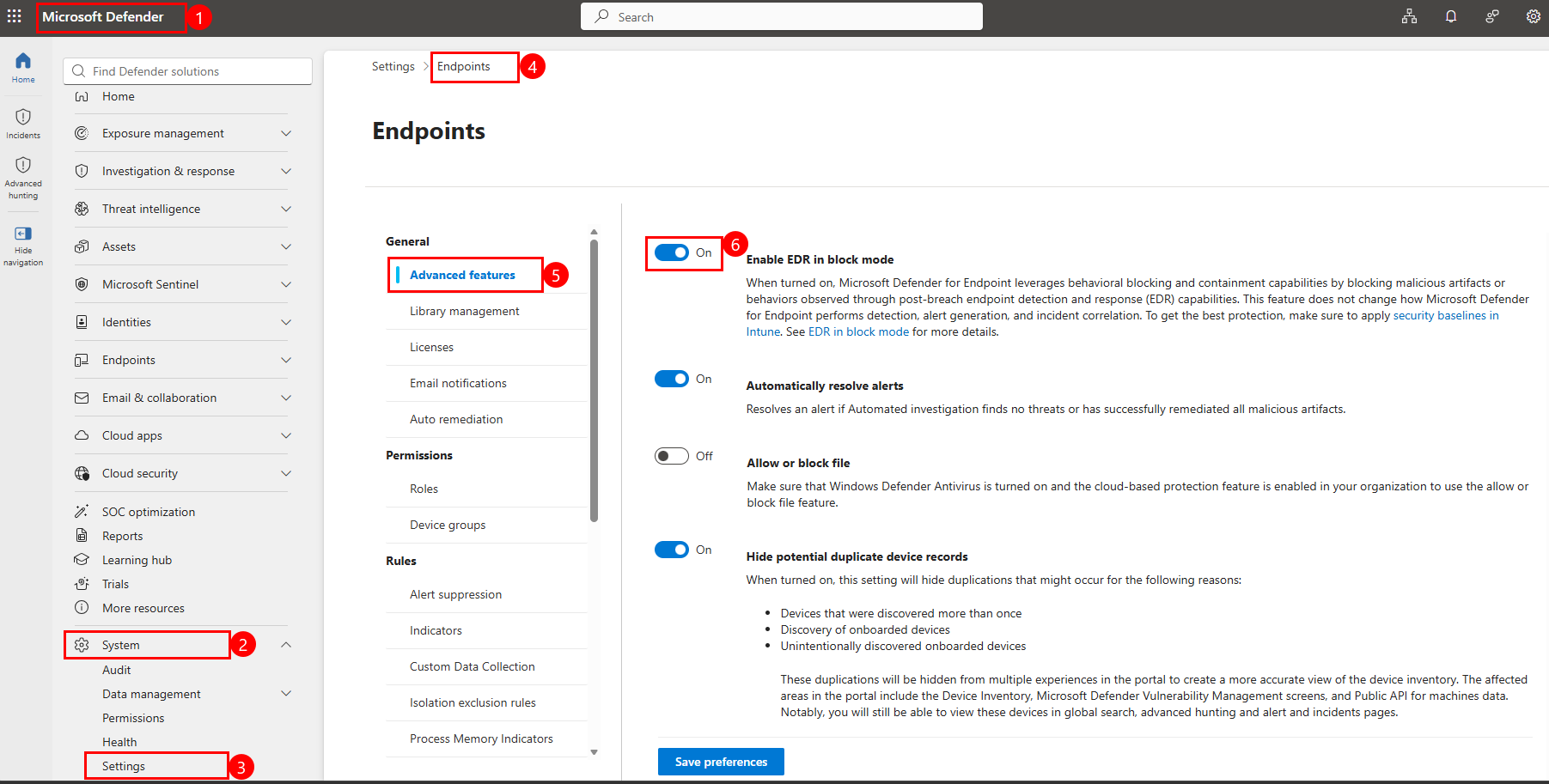
That single toggle activates the post-breach blocking backstop across your estate. As Microsoft notes in the portal itself, to get the best protection you should still apply the security baselines in Intune alongside it.
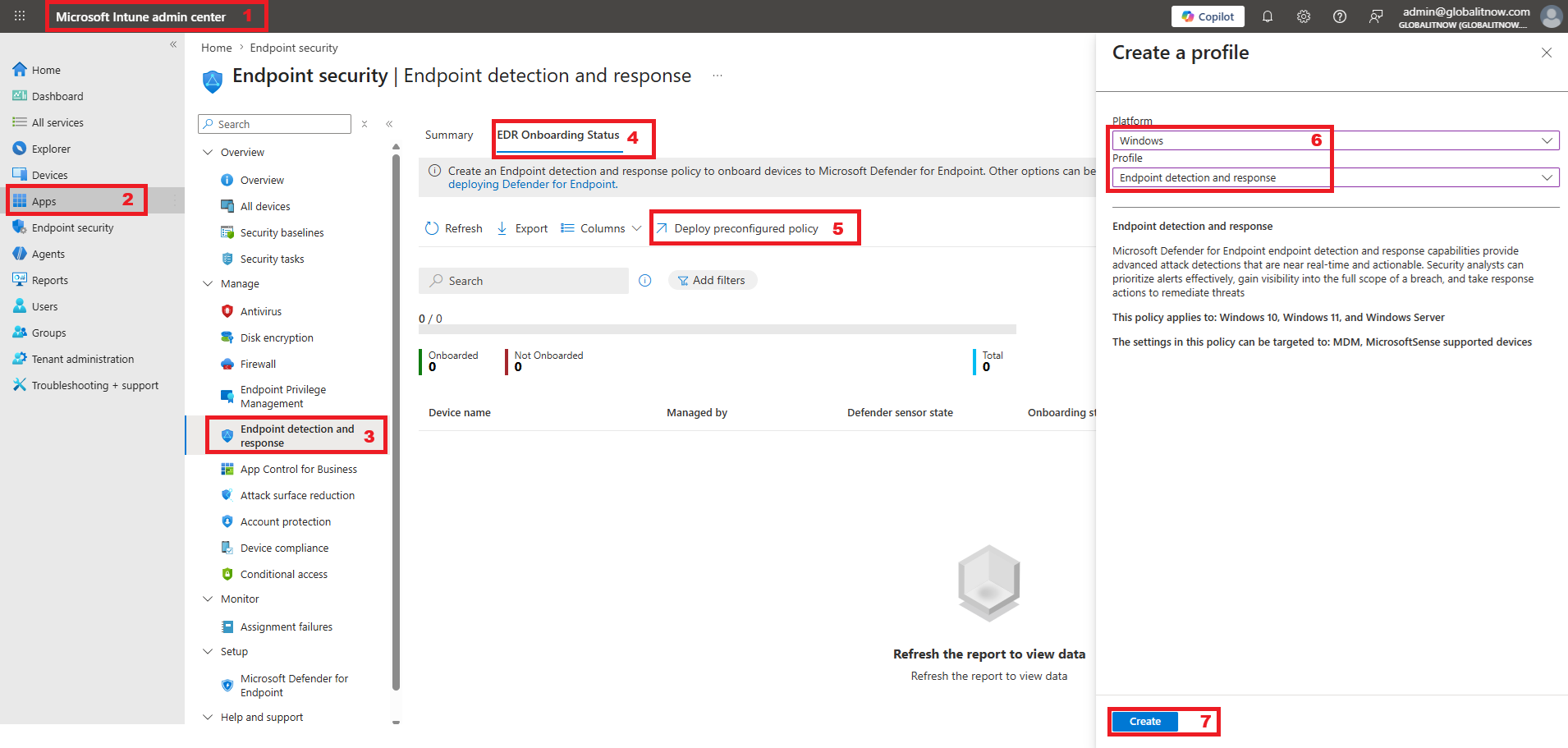
Click Save
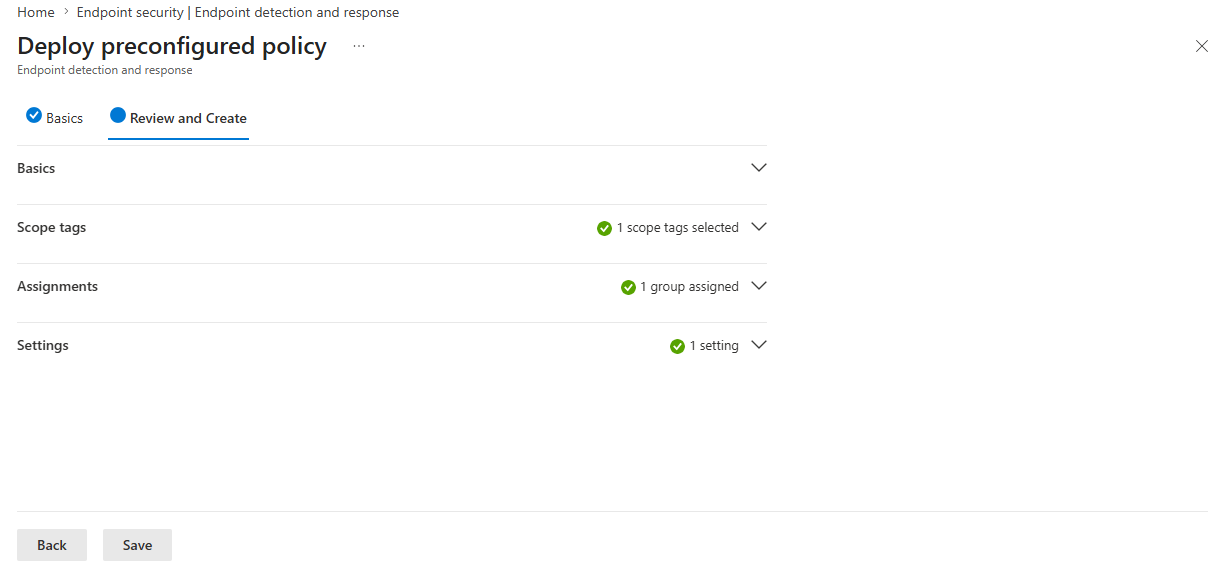
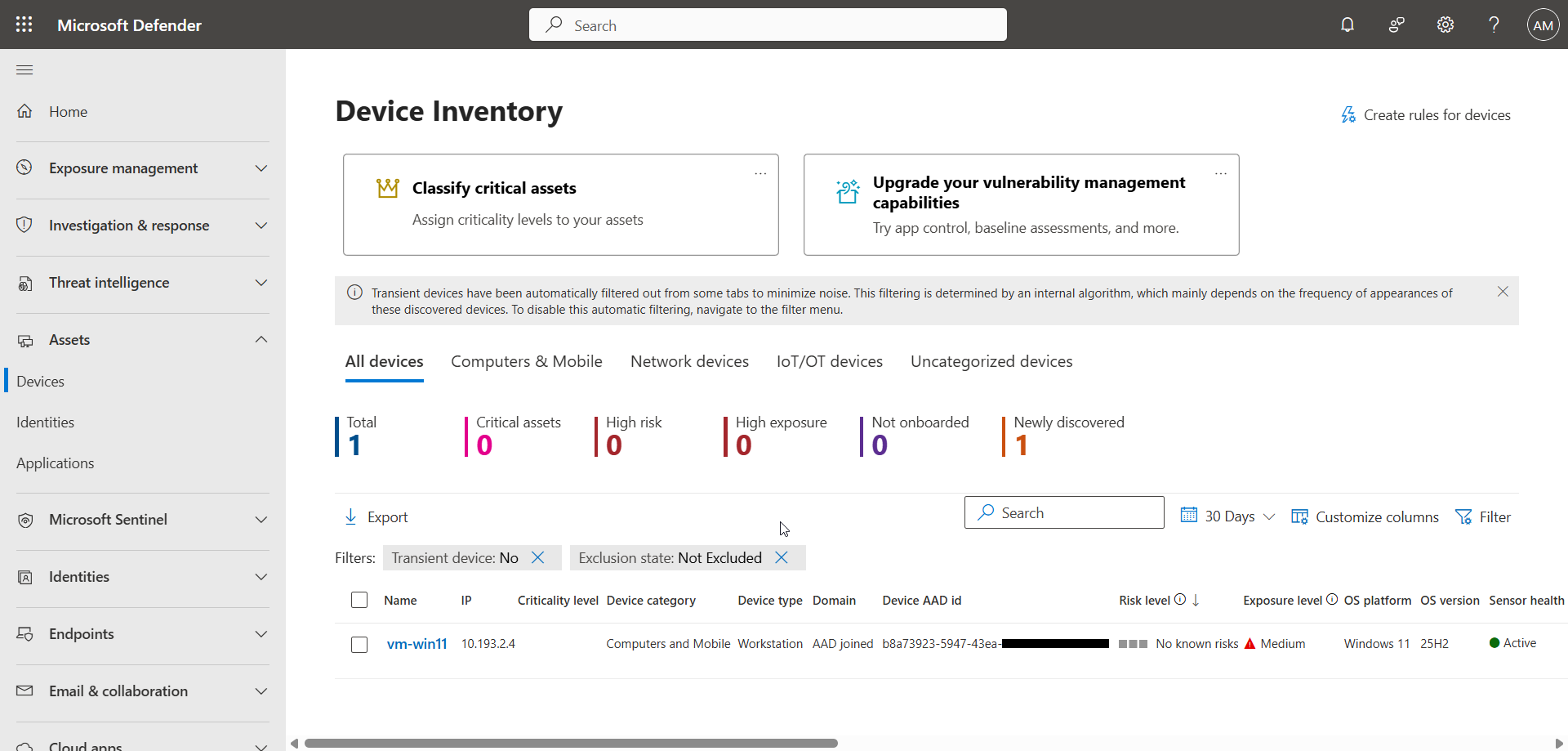
After a few minutes, the policy is deployed on the device.
In the left menu, click Assets, then Devices.
The device is now visible in the Defender console.
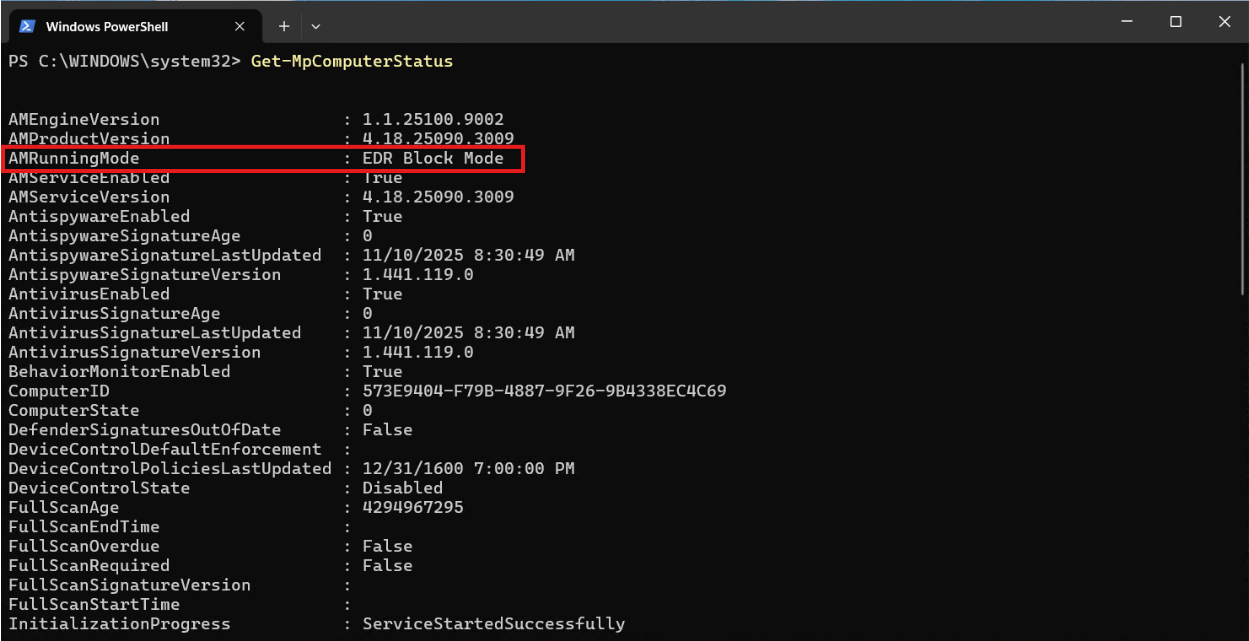
It is also possible to verify the successful deployment via the following PowerShell command :
Get-MpComputerStatusAs you can see, the AMRunningMode attribute returns the value EDR Block Mode.
When a third-party AV (CrowdStrike, Trend, SentinelOne…) owns the primary slot, Microsoft Defender Antivirus retreats into passive mode and a meaningful set of preventive controls , real-time scanning and ASR rules among them , stops enforcing. EDR in block mode is the one toggle that restores active protection value from the Microsoft side in that exact configuration, authorizing the behavioral EDR engine to block and remediate threats that slip past your primary AV.
It is not a replacement for third-party AV (CrowdStrike, Trend, SentinelOne…), and it is not a workaround for ASR. It is a focused, post-breach safety net , and in a defense-in-depth, Zero-Trust-aligned architecture, it’s a setting you should turn on deliberately, monitor actively, and pair with your Intune security baselines.
Thanks