Physical Address
304 North Cardinal St.
Dorchester Center, MA 02124
Physical Address
304 North Cardinal St.
Dorchester Center, MA 02124

Explore practical guides and tools for Microsoft 365, Azure, and PowerShell. Enhance your cloud security and admin skills with expert insights and automation tips.
Explore practical guides and tools for Microsoft 365, Azure, and PowerShell. Enhance your cloud security and admin skills with expert insights and automation tips.
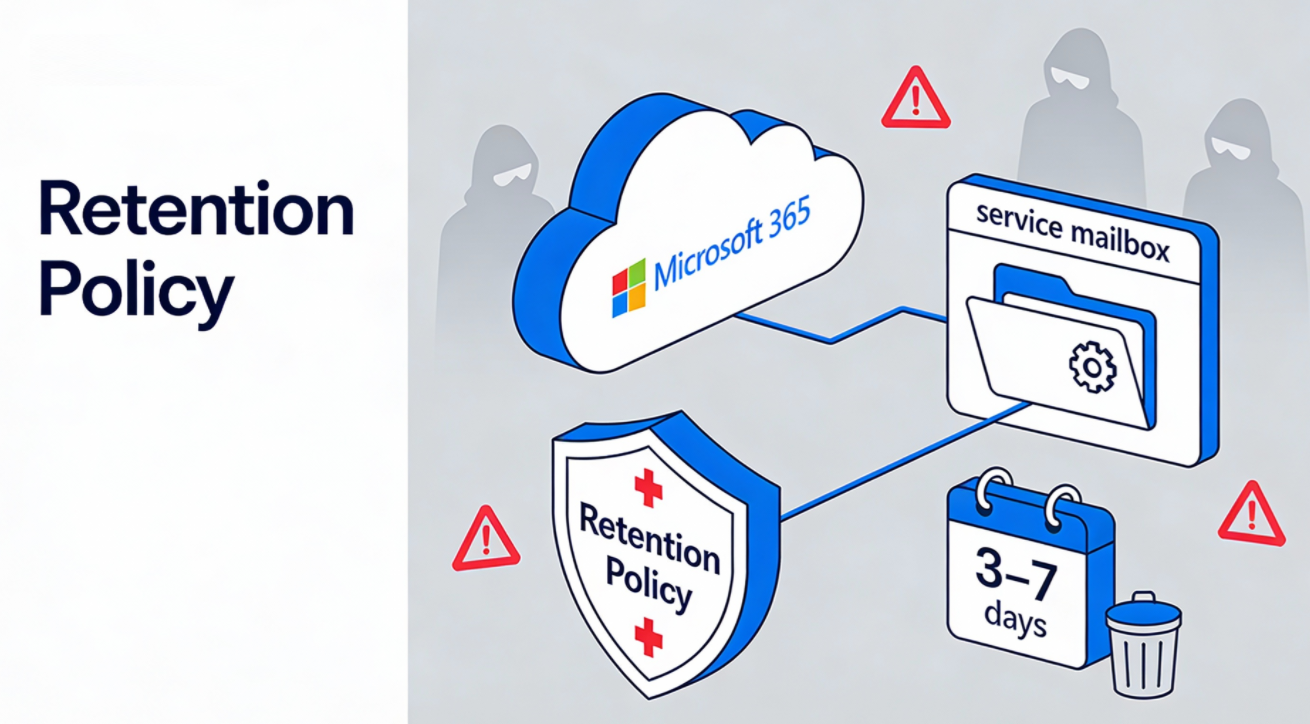
Service or “scan-to-email” mailboxes are convenient for automation, but they also concentrate sensitive telemetry (reports, alerts, stats) in a single inbox that attackers love to target. A Microsoft Purview retention policy can enforce an automatic, short “delete-after-X-days” window (for example 3 or 7 days) to reduce data exposure while keeping operations intact.
Automation mailboxes (scan-to-email devices, SMTP relay accounts, and OAuth2-based third‑party senders) often receive recurring reports that may include usernames, device names, internal URLs, attachment contents, or other operational details.
Because they are non-human “utility” accounts, they’re frequently over-permissioned, poorly monitored, or excluded from normal user hygiene processes, making them a common entry point and data-exfil target.
In Purview Data Lifecycle Management, retention policies are designed to “retain what you need and delete what you dont” and deleting low-business-value content reduces risk and attack surface.
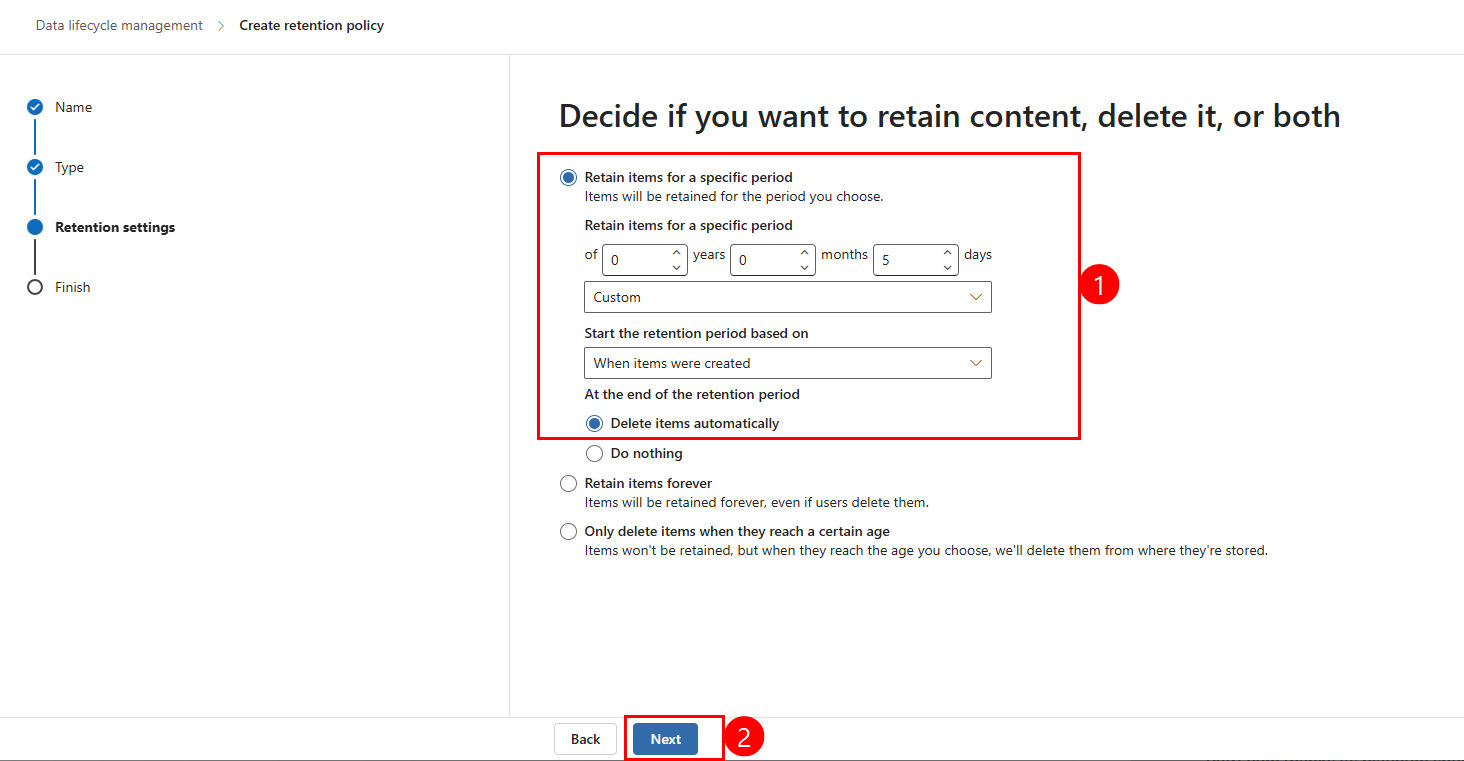
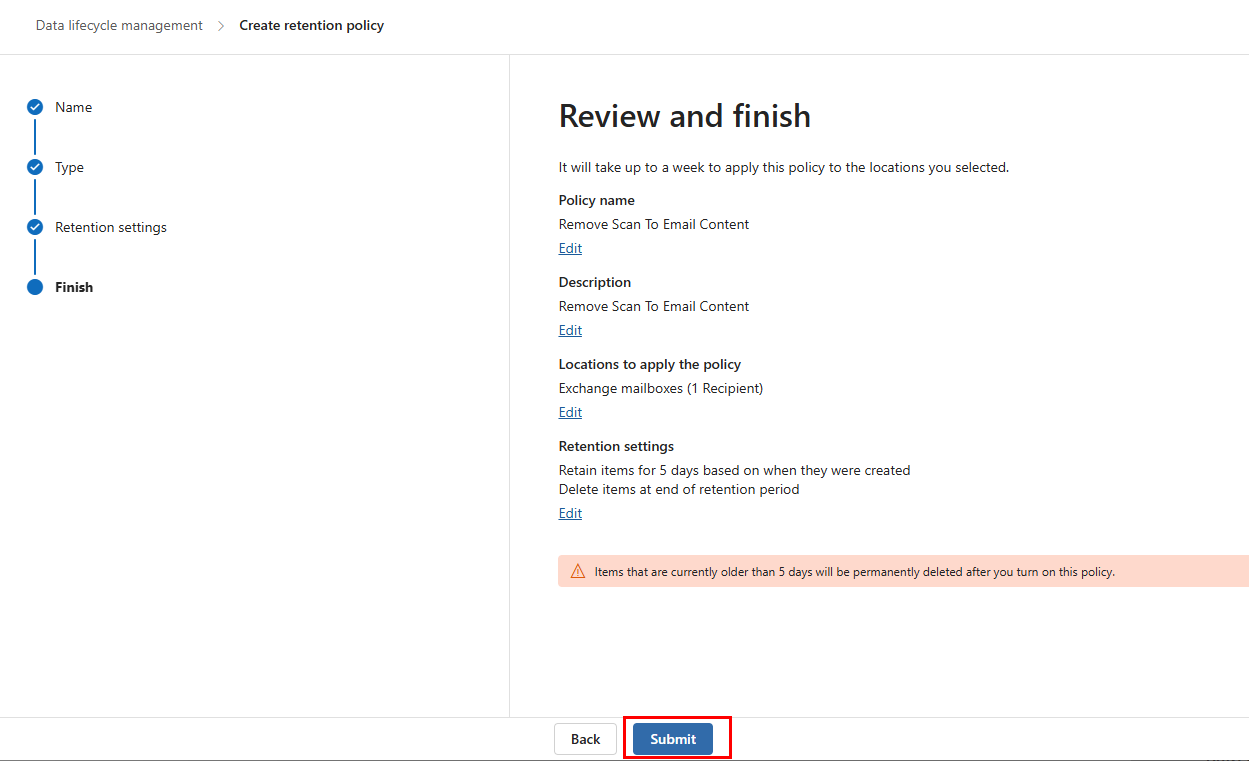
For this use case, the usual approach is a delete-only retention policy that permanently deletes mailbox items once they reach a defined age (e.g., 3 or 7 days).
Be aware that Purview retention follows “retention wins over deletion” principles, so any longer retention (another policy, a label, or holds) can prevent short-window deletion from taking effect.
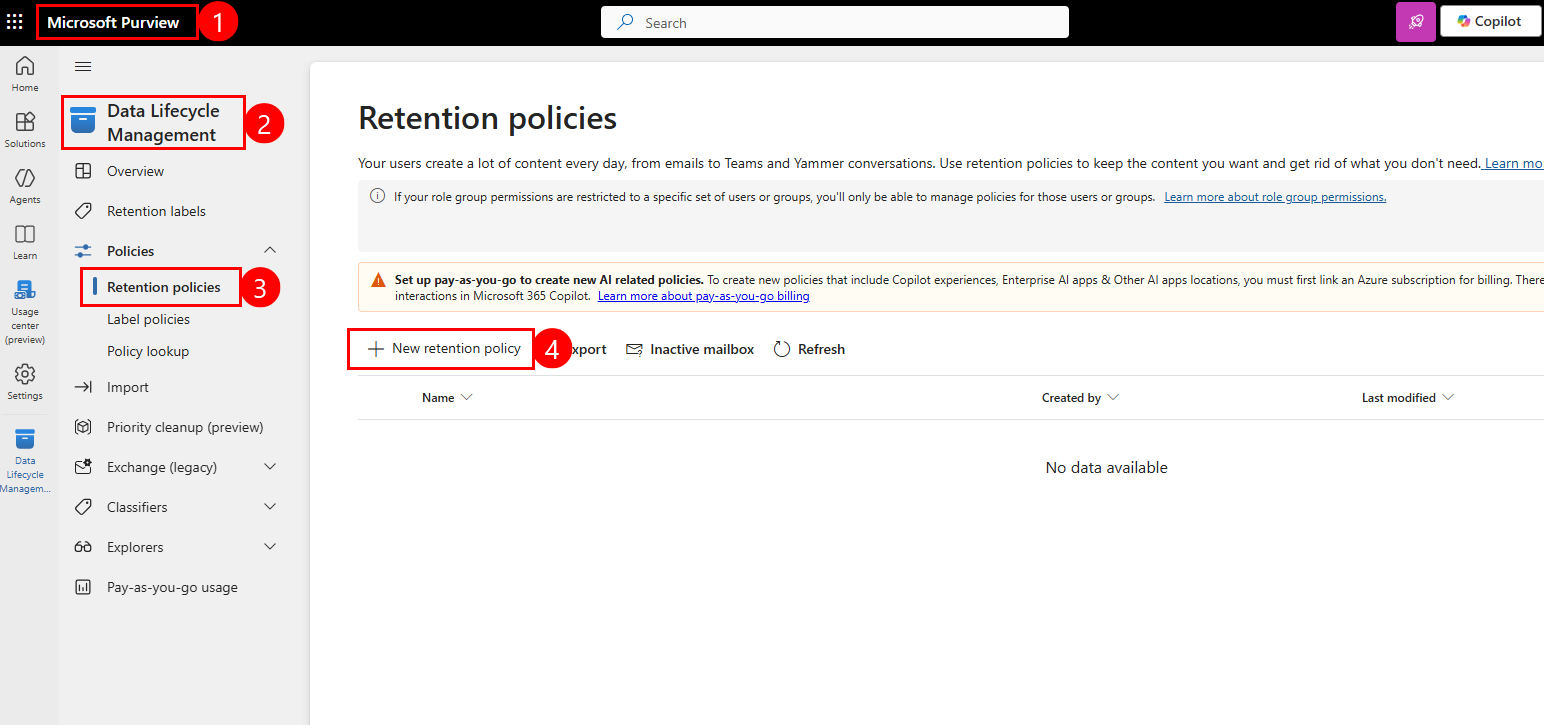
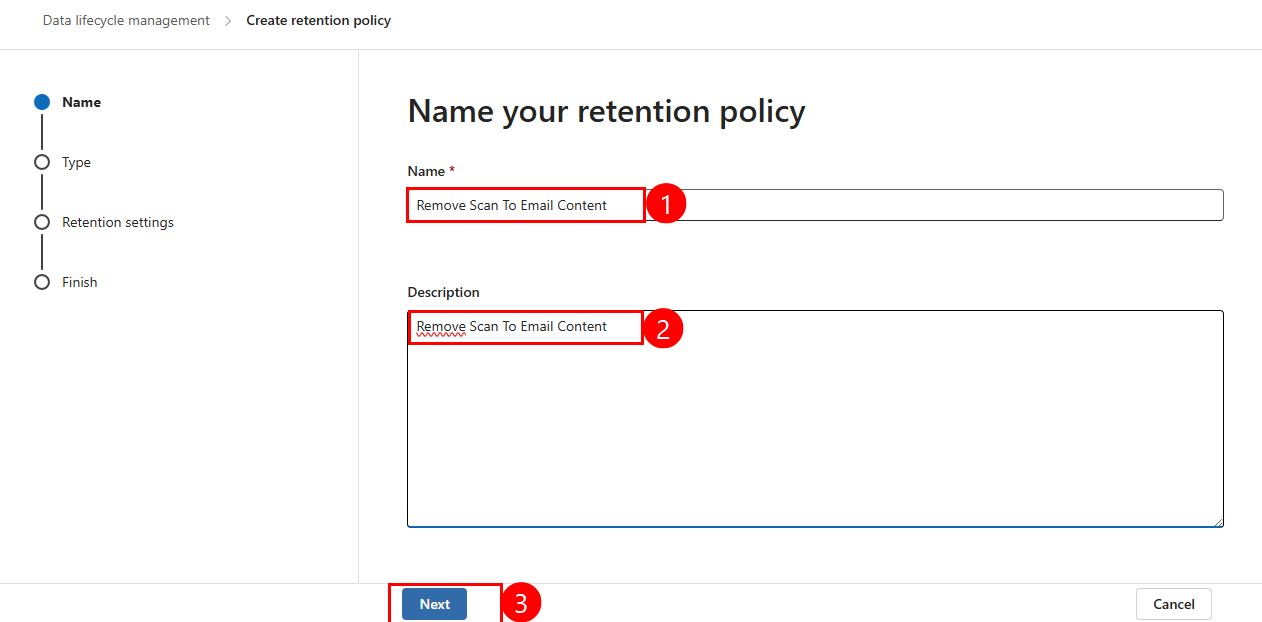
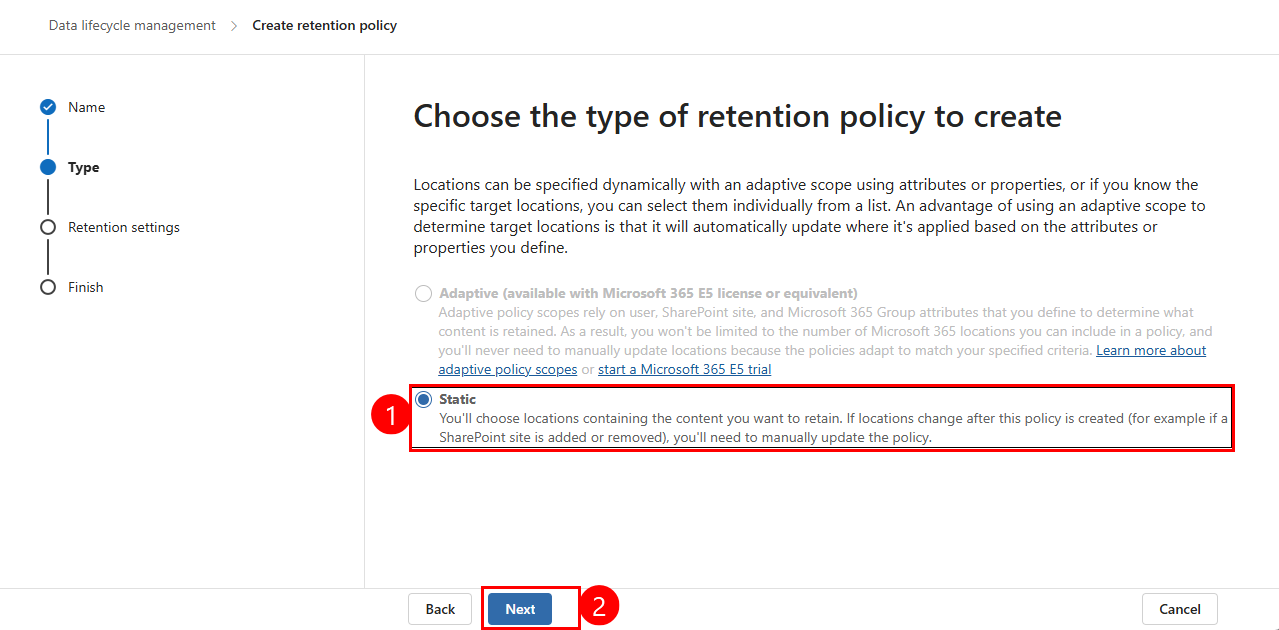
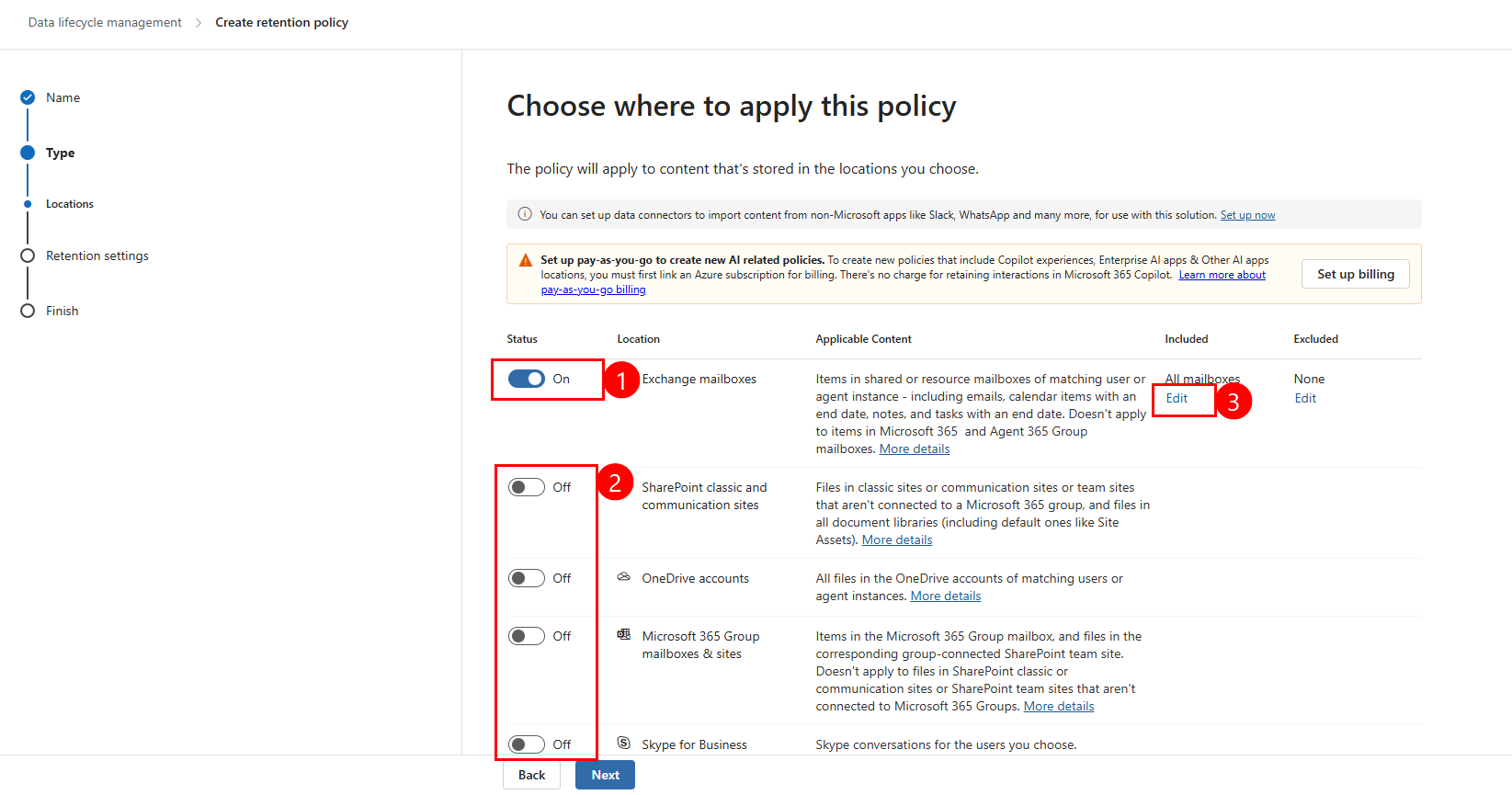
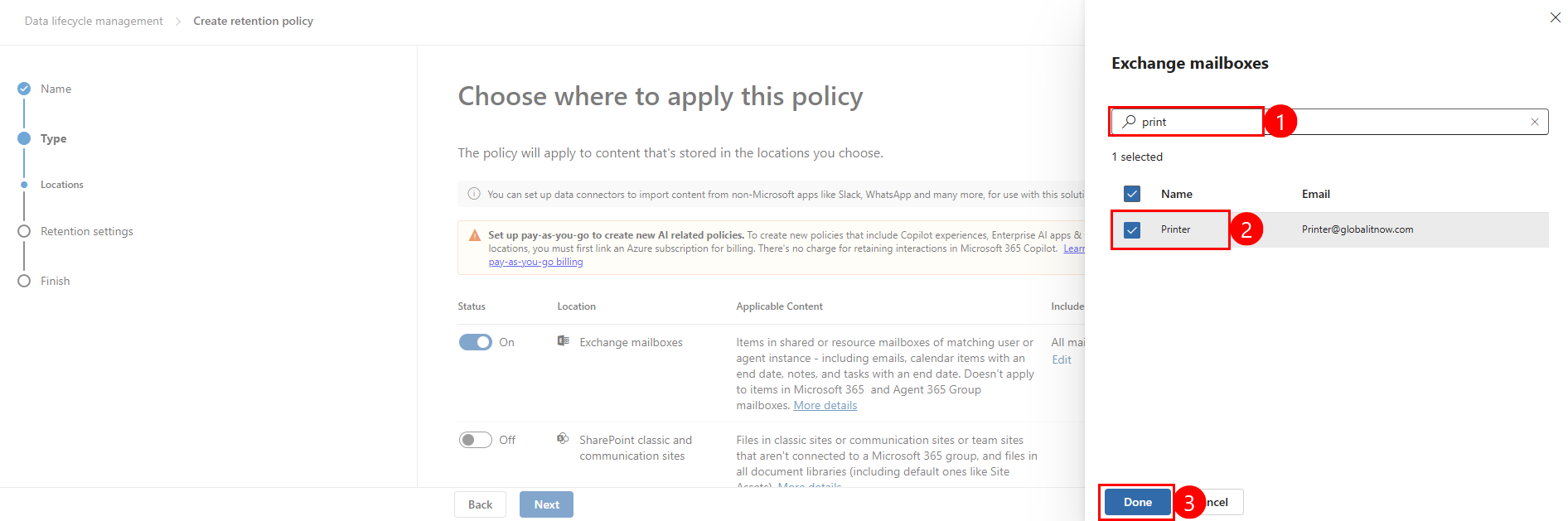
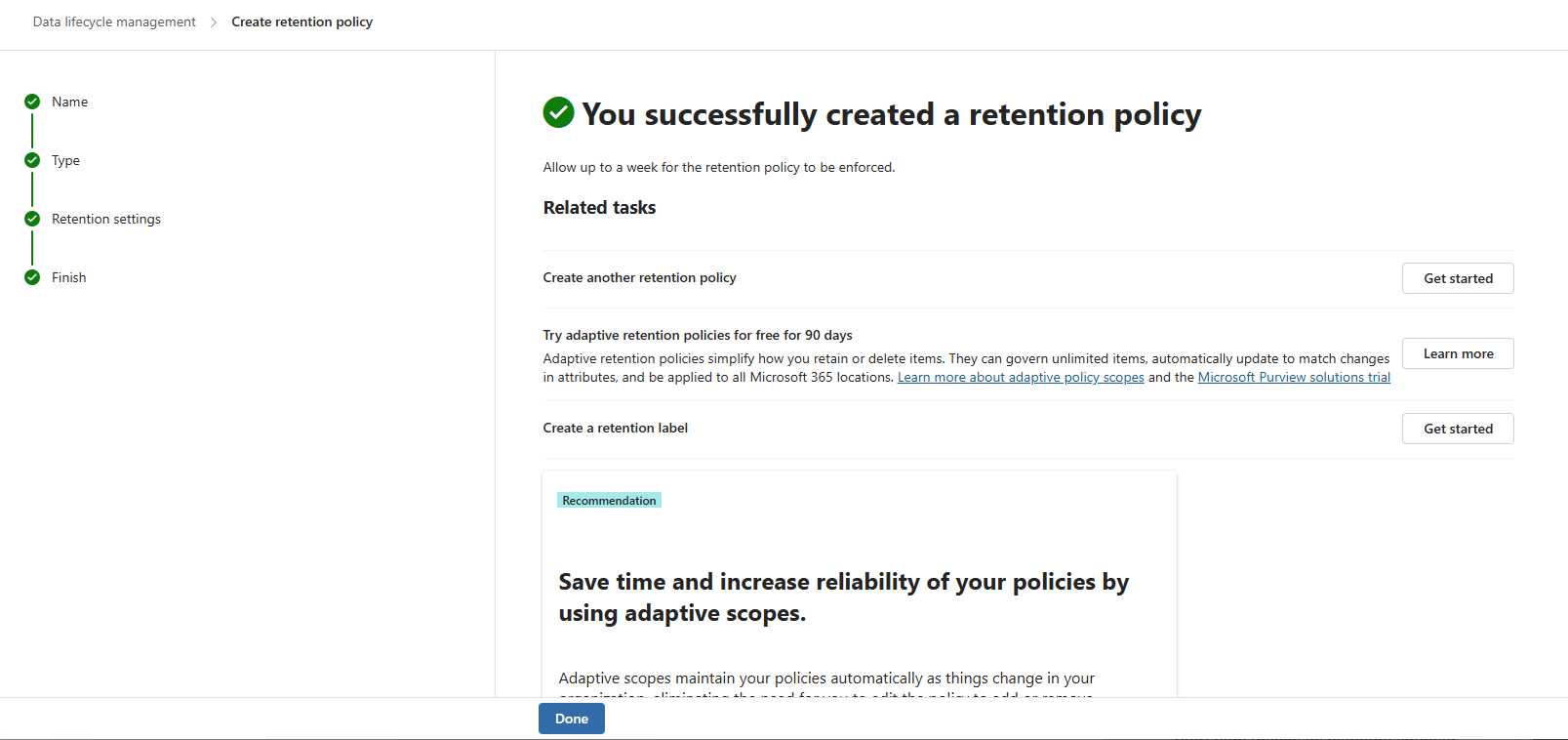
Based on the Purview navigation shown in your screenshot, create a retention policy from the Data Lifecycle Management area:
Thanks.