Physical Address
304 North Cardinal St.
Dorchester Center, MA 02124
Physical Address
304 North Cardinal St.
Dorchester Center, MA 02124

Explore practical guides and tools for Microsoft 365, Azure, and PowerShell. Enhance your cloud security and admin skills with expert insights and automation tips.
Explore practical guides and tools for Microsoft 365, Azure, and PowerShell. Enhance your cloud security and admin skills with expert insights and automation tips.
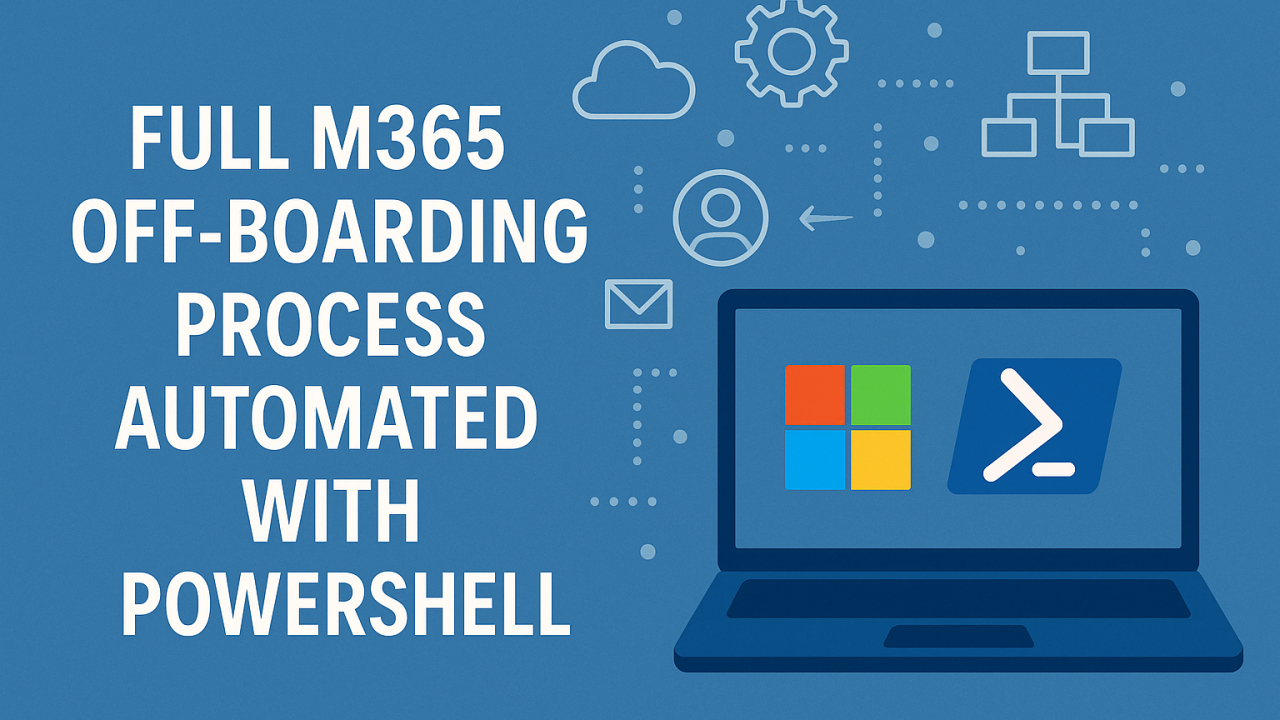

Off-boarding Microsoft 365 (M365) accounts is a crucial step in managing identity and access within an organization. This process includes locking accounts, changing passwords, delegating mailboxes, and deleting licenses…etc. These measures are essential to guarantee data security and prevent unauthorized access after an employee has left. By systematically revoking access, changing logins, transferring important communications, and freeing up resources, off-boarding protects sensitive company information and maintains a secure working environment.
In this article, I’m going to present one of several ways to explain Off-Boarding and then automate it with PowerShell. This process is still under optimization, if you have any suggestion, please add it in comment section.
Here’s the procedure I follow for Off-Boarding users. This procedure not only affects the former employee, but also the employee who will be taking over and even the external partners who work with this employee.
The following diagram explains the steps involved in off-boarding, which are familiar and easy to do from the M365 admin center.

all following script block must be copy/paste in the same order to be executed correctly.
Find out the full script at the end of this article.
# Define execution Policy
Set-ExecutionPolicy RemoteSigned -Force

# --------------------------------------- Values to change -------------------------------
# Define user for Off-Boarding
$userUPN = "user1@domain.com"

# Define user that will have access
$Delegate_Access_To = "user2@domain.com"

# Properties used in dynamic groups to be changed for user
$UserParams =@{
    CompanyName = "N/A"
    OfficeLocation = "N/A"
    State = "N/A"
}

# Exclusion group
$ExclusionGrp = "Users Excluded from M365 Backup"# -------------------------------- Check modules + Connect ------------------------------
if (!(Get-Module -ListAvailable -Name ExchangeOnlineManagement))
{
Write-Host "The ExchangeOnlineManagement module is not installed. Installation in progress..." -ForegroundColor Yellow
Install-Module -Name ExchangeOnlineManagement -Force -AllowClobber
}
Import-Module ExchangeOnlineManagement
if (!(Get-Module -ListAvailable -Name Microsoft.Graph))
{
Write-Host "The Microsoft.Graph module is not installed. Installation in progress..." -ForegroundColor Yellow
Install-Module -Name Microsoft.Graph -Force
}
if (!(Get-Module -ListAvailable -Name Microsoft.Online.SharePoint.PowerShell))
{
Write-Host "The Microsoft.Online.SharePoint.PowerShell module is not installed. Installation in progress..." -ForegroundColor Yellow
Install-Module Microsoft.Online.SharePoint.PowerShell -Force
}
Import-Module Microsoft.Online.SharePoint.PowerShell -DisableNameChecking
# Connect to Microsoft Graph with required scopes
Connect-MgGraph -Scopes "User.ReadWrite.All", "Directory.ReadWrite.All", "Directory.AccessAsUser.All", "UserAuthenticationMethod.ReadWrite.All"
# Connect to Exchange Online (Modern Authentication)
Connect-ExchangeOnline
# Get Tenant Name
$tenantName = (Get-MgOrganization).VerifiedDomains | Where-Object { $_.IsInitial -eq $true } | Select-Object -ExpandProperty Name
$tenantName = $tenantName.Split('.')[0]
# Generate URL to connect to sharepoint
$SharePointURL = "https://$tenantName-admin.sharepoint.com"
# Connect to SharePoint
Connect-SPOService -Url $SharePointURL # -------------------------- Get users id ------------------
# Get the user object
$user = Get-MgUser -UserId $userUPN
$UserDelegate = Get-MgUser -UserId $Delegate_Access_To
# -------------------------- Block user Sign-in  -----------------------
# Block user Sign-in
try{
    Update-MgUser -UserId $user.Id -AccountEnabled:$false
    Write-Host "User account successfully blocked" -ForegroundColor Green
}
catch {
    Write-Host "Error : Failed to block user account" -ForegroundColor Red
    Write-Host "Error details: $_"
}
# -------------------------- Reset Password  ----------------------
# Create Random Password
Add-Type -AssemblyName System.Security
$bytes = New-Object 'Byte[]' 16
[System.Security.Cryptography.RandomNumberGenerator]::Create().GetBytes($bytes)
$base64 = [Convert]::ToBase64String($bytes)
$randomPassword = $base64.Substring(0,16)

# Reset Password
$params = @{
    passwordProfile = @{
        forceChangePasswordNextSignIn = $true
        password = $randomPassword
    }
}
try{
    Update-MgUser -UserId $user.Id -BodyParameter $params
    Write-Host "User Password successfully changed" -ForegroundColor Green
}
catch {
    Write-Host "Error : Failed to change user Password" -ForegroundColor Red
    Write-Host "Error details: $_"
}

# -------------------------- Reset User Properties -----------------------
# Remove Properties used in dynamic group membership
if($user)
{
    try {
        # Update user Properties
        Update-MgUser -UserId $user.Id -BodyParameter $UserParams
        Write-Host "--------------------------------------------------------------------------"
        Write-Host 'Properties updated successfully for : ' $user.DisplayName -ForegroundColor Green
    }
    catch {
        Write-Host 'Error while updating Properties for : ' $user.DisplayName -ForegroundColor Red
    }

    try {
        # Reset Custom Attributes
        Update-MgUser -UserId $user.Id -AdditionalProperties @{
        "onPremisesExtensionAttributes" = @{
            extensionAttribute1 = ""
            extensionAttribute2 = ""
            extensionAttribute3 = ""
            extensionAttribute4 = ""
            extensionAttribute5 = ""
            extensionAttribute6 = ""
            extensionAttribute7 = ""
            extensionAttribute8 = ""
            extensionAttribute9 = ""
            extensionAttribute10 = ""
            extensionAttribute11 = ""
            extensionAttribute12 = ""
            extensionAttribute13 = ""
            extensionAttribute14 = ""
            extensionAttribute15 = ""
            }
        }
        Write-Host "--------------------------------------------------------------------------"
        Write-Host 'custom Attributes updated successfully for : ' $user.DisplayName -ForegroundColor Green
    }
    catch {
        Write-Host 'Error while updating custom Attributes for : ' $user.DisplayName -ForegroundColor Red
    }
}

Write-Host "Waiting for updating dynamic Group membership....................." -ForegroundColor Cyan
Start-Sleep 10
# -------------------------- Remove All Entra id groups membership ------------
# Get all user groups (security, M365, mail-enabled, etc.)
$groups = Get-MgUserMemberOf -UserId $user.Id -All

# Loop through each group
foreach ($group in $groups) {
    try {
        # Remove the user from the group
        Remove-MgGroupMemberByRef -GroupId $group.Id -DirectoryObjectId $user.Id -ErrorAction SilentlyContinue
        Write-Host "--------------------------------------------------------------------------"
        Write-Host "Removed $userUPN from group: $($group.AdditionalProperties.displayName)" -ForegroundColor Green
    }
    catch {
        Write-Warning "Cant manage members for Dynamic group : $($group.AdditionalProperties.displayName)" -ForegroundColor Yellow
    }
} 
# -------------------------- Remove Manger ---------------------------
# Remove user Manger if it exist
if(Get-MgUserManager -UserId $user.Id -ErrorAction SilentlyContinue) {
    # Remove user Manger
    Remove-MgUserManagerByRef -UserId $user.Id
    Write-Host "-----------------------------------------------------------------------------"
    Write-Host "Manager relationship removed successfully" -ForegroundColor Green
}


# -------------------------- Delegate OneDrive Site Collection ------------------
# Get Tenant Name
$tenantName = (Get-MgOrganization).VerifiedDomains | Where-Object { $_.IsInitial -eq $true } | Select-Object -ExpandProperty Name
$tenantName = $tenantName.Split('.')[0]

# Get the OneDrive URL for the source user
# Format is typically: https://tenantname-my.sharepoint.com/personal/username_domain_com
$oneDriveSiteUrl = "https://$tenantName-my.sharepoint.com/personal/$($user.UserPrincipalName.Replace('@','_').Replace('.','_'))"
Write-Host "Using OneDrive URL: $oneDriveSiteUrl" -ForegroundColor Cyan

try {
    Write-Host "Setting $Delegate_Access_To as Site Collection Administrator for $userUPN OneDrive..." -ForegroundColor Cyan
    Set-SPOSite -Identity $oneDriveSiteUrl -Owner $Delegate_Access_To
    Set-SPOUser -Site $oneDriveSiteUrl -LoginName $Delegate_Access_To -IsSiteCollectionAdmin $true
    Write-Host "-----------------------------------------------------------------------------"
    Write-Host "Successfully granted admin access to $($Delegate_Access_To)" -ForegroundColor Green
}
catch {
    Write-Host "Error setting Site Collection Administrator: $_" -ForegroundColor Red
}
# -------------------------- Convert User mailbox to shared mailbox ---------------------
# Convert user mailbox to shared
Set-Mailbox -Identity $userUPN -Type Shared
Write-Host "--------------------------------------------------------------------------------"
Write-Host "User Mailbox converted to shred mailbox" -ForegroundColor Green
# -------------------------- Add Auto Reply message --------------------
$AutoReplyMessage = @"
Hello,

Please note that I am no longer with $((Get-MgOrganization).DisplayName). For more informations, please contact $($UserDelegate.DisplayName) at $($Delegate_Access_To)

Regards.
"@
# Set Auto Reply message
Set-MailboxAutoReplyConfiguration -Identity $userUPN -AutoReplyState Enabled -InternalMessage $AutoReplyMessage -ExternalMessage $AutoReplyMessage
Write-Host "--------------------------------------------------------------------------------"
Write-Host "Auto-reply message seccussfully added" -ForegroundColor Green
# -------------------------- Add Mail Access delegation ---------------------
# Full Access access right
Add-MailboxPermission -Identity $userUPN -User $Delegate_Access_To -AccessRights FullAccess -InheritanceType All
# Send as access right
Add-RecipientPermission -Identity $userUPN -Trustee $Delegate_Access_To -AccessRights SendAs -Confirm:$false
# -------------------------- Hide contact from Global cathalogue --------------
# Hide contact from Global cathalogue
Set-Mailbox -Identity $userUPN -HiddenFromAddressListsEnabled $true
Write-Host "--------------------------------------------------------------------------------"
Write-Host "User $($userUPN) seccussfully hided from global cathalogue" -ForegroundColor Green
# -------------------------- Remove All user licences ----------------
#  Remove All user licences
$SKus = (Get-MgUserLicenseDetail -UserId $user.Id).SkuId
Set-MgUserLicense -UserId $user.Id -AddLicenses @() -RemoveLicenses ($SKus)
Write-Host "---------------------------------------------------------------------------------"
Write-Host "User licences seccussfully removed" -ForegroundColor Green
# -------------------------- Add user to exclusion group ----------------
$Exclusion_Grp =  Get-MgGroup -Filter "DisplayName eq '$($ExclusionGrp)'"
$params = @{
    "@odata.id" = "https://graph.microsoft.com/v1.0/directoryObjects/$($user.Id)"
}
New-MgGroupMemberByRef -GroupId $Exclusion_Grp.Id -BodyParameter $params
Write-Host "--------------------------------------------------------------------------------"
Write-Host "User seccussfully added to exclusion group" -ForegroundColor Green# -------------------------- Generate Email with all details -------------------
$MessageEN = "Hi, `n`n
As requested by the HR team, $($user.DisplayName) Office 365 account has been closed. `n
The mailbox has been transferred to you and will appear automatically in your Outlook. `n
Here's the link to his OneDrive files: $oneDriveSiteUrl `n
You have 60 days from today until $((Get-Date).AddDays(60).ToShortDateString()), to move any files or emails you want to keep. `n
All content (OneDrive and Outlook) will be automatically deleted after this period. `n
Don't hesitate to contact us if you have any questions. `n`n
Have a nice day!`n"
write-host $MessageEN -ForegroundColor Yellow
# -------------------------- Disconnect All sessions -------
# Disconnect All sessions
Disconnect-MgGraph
Disconnect-SPOService
Disconnect-ExchangeOnline# Define execution Policy
Set-ExecutionPolicy RemoteSigned -Force
# --------------------------------------- Values to change -------------------------------
# Define user for Off-Boarding
$userUPN = "user1@domain.com"
# Define user that will have access
$Delegate_Access_To = "user2@domain.com"
# Properties used dynamic groups to change for user
$UserParams =@{
CompanyName = "N/A"
OfficeLocation = "N/A"
State = "N/A"
}
# Exclusion group
$ExclusionGrp = "Users Excluded from M365 Backup"
# -------------------------------- Check modules + Connect -----------------------------
if (!(Get-Module -ListAvailable -Name ExchangeOnlineManagement))
{
Write-Host "The ExchangeOnlineManagement module is not installed. Installation in progress..." -ForegroundColor Yellow
Install-Module -Name ExchangeOnlineManagement -Force -AllowClobber
}
Import-Module ExchangeOnlineManagement
if (!(Get-Module -ListAvailable -Name Microsoft.Graph))
{
Write-Host "The Microsoft.Graph module is not installed. Installation in progress..." -ForegroundColor Yellow
Install-Module -Name Microsoft.Graph -Force
}
if (!(Get-Module -ListAvailable -Name Microsoft.Online.SharePoint.PowerShell))
{
Write-Host "The Microsoft.Online.SharePoint.PowerShell module is not installed. Installation in progress..." -ForegroundColor Yellow
Install-Module Microsoft.Online.SharePoint.PowerShell -Force
}
Import-Module Microsoft.Online.SharePoint.PowerShell -DisableNameChecking
# Connect to Microsoft Graph with required scopes
Connect-MgGraph -Scopes "User.ReadWrite.All", "Directory.ReadWrite.All", "Directory.AccessAsUser.All", "UserAuthenticationMethod.ReadWrite.All"
# Connect to Exchange Online (Modern Authentication)
Connect-ExchangeOnline
# Get Tenant Name
$tenantName = (Get-MgOrganization).VerifiedDomains | Where-Object { $_.IsInitial -eq $true } | Select-Object -ExpandProperty Name
$tenantName = $tenantName.Split('.')[0]
# Generate URL to connect to sharepoint
$SharePointURL = "https://$tenantName-admin.sharepoint.com"
# Connect to SharePoint
Connect-SPOService -Url $SharePointURL
# -------------------------- Get users id -------------------------------------------
# Get the user object
$user = Get-MgUser -UserId $userUPN
$UserDelegate = Get-MgUser -UserId $Delegate_Access_To
# -------------------------- Block user Sign-in -------------------------------------
# Block user Sign-in
try{
Update-MgUser -UserId $user.Id -AccountEnabled:$false
Write-Host "User account successfully blocked" -ForegroundColor Green
}
catch {
Write-Host "Error : Failed to block user account" -ForegroundColor Red
Write-Host "Error details: $_"
}
# -------------------------- Reset Password -----------------------------------------
# Create Random Password
Add-Type -AssemblyName System.Security
$bytes = New-Object 'Byte[]' 16
[System.Security.Cryptography.RandomNumberGenerator]::Create().GetBytes($bytes)
$base64 = [Convert]::ToBase64String($bytes)
$randomPassword = $base64.Substring(0,16)
# Reset Password
$params = @{
passwordProfile = @{
forceChangePasswordNextSignIn = $true
password = $randomPassword
}
}
try{
Update-MgUser -UserId $user.Id -BodyParameter $params
Write-Host "User Password successfully changed" -ForegroundColor Green
}
catch {
Write-Host "Error : Failed to change user Password" -ForegroundColor Red
Write-Host "Error details: $_"
}
# -------------------------- Reset User Properties ------------------------------------
# Remove Properties used in dynamic group membership
if($user)
{
try {
# Update user Properties
Update-MgUser -UserId $user.Id -BodyParameter $UserParams
Write-Host "-------------------------------------------------------------------"
Write-Host 'Properties updated successfully for : ' $user.DisplayName -ForegroundColor Green
}
catch {
Write-Host 'Error while updating Properties for : ' $user.DisplayName -ForegroundColor Red
}
try {
# Reset Custom Attributes
Update-MgUser -UserId $user.Id -AdditionalProperties @{
"onPremisesExtensionAttributes" = @{
extensionAttribute1 = ""
extensionAttribute2 = ""
extensionAttribute3 = ""
extensionAttribute4 = ""
extensionAttribute5 = ""
extensionAttribute6 = ""
extensionAttribute7 = ""
extensionAttribute8 = ""
extensionAttribute9 = ""
extensionAttribute10 = ""
extensionAttribute11 = ""
extensionAttribute12 = ""
extensionAttribute13 = ""
extensionAttribute14 = ""
extensionAttribute15 = ""
}
}
Write-Host "-----------------------------------------------------------------"
Write-Host 'custom Attributes updated successfully for : ' $user.DisplayName -ForegroundColor Green
}
catch {
Write-Host 'Error while updating custom Attributes for : ' $user.DisplayName -ForegroundColor Red
}
}
Write-Host "Waiting for updating dynamic Group membership....................." -ForegroundColor Cyan
Start-Sleep 10
# -------------------------- Remove All Entra id groups membership ------------------
# Get all user groups (security, M365, mail-enabled, etc.)
$groups = Get-MgUserMemberOf -UserId $user.Id -All
# Loop through each group
foreach ($group in $groups) {
try {
# Remove the user from the group
Remove-MgGroupMemberByRef -GroupId $group.Id -DirectoryObjectId $user.Id -ErrorAction SilentlyContinue
Write-Host "-----------------------------------------------------------------"
Write-Host "Removed $userUPN from group: $($group.AdditionalProperties.displayName)" -ForegroundColor Green
}
catch {
Write-Warning "Cant manage members for Dynamic group : $($group.AdditionalProperties.displayName)" -ForegroundColor Yellow
}
}
# -------------------------- Remove Manger ------------------------------------------
# Remove user Manger if it exist
if(Get-MgUserManager -UserId $user.Id -ErrorAction SilentlyContinue) {
# Remove user Manger
Remove-MgUserManagerByRef -UserId $user.Id
Write-Host "--------------------------------------------------------------------"
Write-Host "Manager relationship removed successfully" -ForegroundColor Green
}
# -------------------------- Delegate OneDrive Site Collection ---------------------
# Get Tenant Name
$tenantName = (Get-MgOrganization).VerifiedDomains | Where-Object { $_.IsInitial -eq $true } | Select-Object -ExpandProperty Name
$tenantName = $tenantName.Split('.')[0]
# Get the OneDrive URL for the source user
# Format is typically: https://tenantname-my.sharepoint.com/personal/username_domain_com
$oneDriveSiteUrl = "https://$tenantName-my.sharepoint.com/personal/$($user.UserPrincipalName.Replace('@','_').Replace('.','_'))"
Write-Host "Using OneDrive URL: $oneDriveSiteUrl" -ForegroundColor Cyan
try {
Write-Host "Setting $Delegate_Access_To as Site Collection Administrator for $userUPN OneDrive..." -ForegroundColor Cyan
Set-SPOSite -Identity $oneDriveSiteUrl -Owner $Delegate_Access_To
Write-Host "-------------------------------------------------------------------"
Write-Host "Successfully granted admin access to $($Delegate_Access_To)" -ForegroundColor Green
}
catch {
Write-Host "Error setting Site Collection Administrator: $_" -ForegroundColor Red
}
# -------------------------- Convert User mailbox to shared mailbox ----------------
# Convert user mailbox to shared
Set-Mailbox -Identity $userUPN -Type Shared
Write-Host "------------------------------------------------------------------------"
Write-Host "User Mailbox converted to shred mailbox" -ForegroundColor Green
# -------------------------- Add Auto Reply message --------------------------------
# Auto Reply message
$AutoReplyMessage = @"
Hello,
Please note that I am no longer with $((Get-MgOrganization).DisplayName). For more informations, please contact $($UserDelegate.DisplayName) at $($Delegate_Access_To)
Regards.
"@
# Set Auto Reply message
Set-MailboxAutoReplyConfiguration -Identity $userUPN -AutoReplyState Enabled -InternalMessage $AutoReplyMessage -ExternalMessage $AutoReplyMessage
Write-Host "------------------------------------------------------------------------"
Write-Host "Auto-reply message seccussfully added" -ForegroundColor Green
# -------------------------- Add Mail Access delegation ----------------------------
# Full Access access right
Add-MailboxPermission -Identity $userUPN -User $Delegate_Access_To -AccessRights FullAccess -InheritanceType All
# Send as access right
Add-RecipientPermission -Identity $userUPN -Trustee $Delegate_Access_To -AccessRights SendAs -Confirm:$false
Write-Host "---------------------------------------------------------------------------------"
Write-Host "Mailbox access delegation seccussfully added" -ForegroundColor Green
# -------------------------- Hide contact from Global cathalogue -------------------
# Hide contact from Global cathalogue
Set-Mailbox -Identity $userUPN -HiddenFromAddressListsEnabled $true
Write-Host "------------------------------------------------------------------------"
Write-Host "User $($userUPN) seccussfully hided from global cathalogue" -ForegroundColor Green
# -------------------------- Remove All user licences ------------------------------
# Remove All user licences
$SKus = (Get-MgUserLicenseDetail -UserId $user.Id).SkuId
Set-MgUserLicense -UserId $user.Id -AddLicenses @() -RemoveLicenses ($SKus)
Write-Host "------------------------------------------------------------------------"
Write-Host "User licences seccussfully removed" -ForegroundColor Green
# -------------------------- Add user to exclusion group --------------------------
$Exclusion_Grp = Get-MgGroup -Filter "DisplayName eq '$($ExclusionGrp)'"
$params = @{
"@odata.id" = "https://graph.microsoft.com/v1.0/directoryObjects/$($user.Id)"
}
New-MgGroupMemberByRef -GroupId $Exclusion_Grp.Id -BodyParameter $params
Write-Host "------------------------------------------------------------------------"
Write-Host "User seccussfully added to exclusion group" -ForegroundColor Green
# -------------------------- Generate Email with all details -----------------------
$MessageEN = "Hi, `n`n
As requested by the HR team, $($user.DisplayName) Office 365 account has been closed. `n
The mailbox has been transferred to you and will appear automatically in your Outlook. `n
Here's the link to his OneDrive files: $($oneDriveSiteUrl) `n
You have 60 days from today until $((Get-Date).AddDays(60).ToShortDateString()), to move any files or emails you want to keep. `n
All content (OneDrive and Outlook) will be automatically deleted after this period. `n
Don't hesitate to contact us if you have any questions. `n`n
Have a nice day!`n"
write-host $MessageEN -ForegroundColor Yellow
# -------------------------- Disconnect All sessions -------------------------------
# Disconnect All sessions
Disconnect-MgGraph
Disconnect-SPOService
Disconnect-ExchangeOnline Thanks