Physical Address
304 North Cardinal St.
Dorchester Center, MA 02124
Physical Address
304 North Cardinal St.
Dorchester Center, MA 02124

Explore practical guides and tools for Microsoft 365, Azure, and PowerShell. Enhance your cloud security and admin skills with expert insights and automation tips.
Explore practical guides and tools for Microsoft 365, Azure, and PowerShell. Enhance your cloud security and admin skills with expert insights and automation tips.
This Blog is talking about Cloud First environment only, hybrid environment not included.
Most organizations don’t have a single device type. A retail chain has point-of-sale kiosks in stores and corporate laptops for headquarters staff. A hospital has shared workstations in nursing stations and personal devices for physicians. A manufacturing company has floor terminals and engineer workstations.
Windows Autopilot v1 (Classic) and Autopilot v2 (Device Preparation) are not competitors , they’re complementary tools designed for different device lifecycle models. The real question isn’t “which one should I use?” but “which one should I use for each device type?”
| Autopilot v1 : Self-Deploying | Autopilot v2 : Device Preparation |
| Kiosk devices (single/multi-app) Shared PCs in retail stores Conference room devices Zero-touch, zero user interaction Hardware hash pre-imported No user affinity | Corporate user laptops/desktops Drop-shipped new hires IT-issued personal devices User-driven with DPP targeting No hardware hash required Full user affinity + per-user policies |
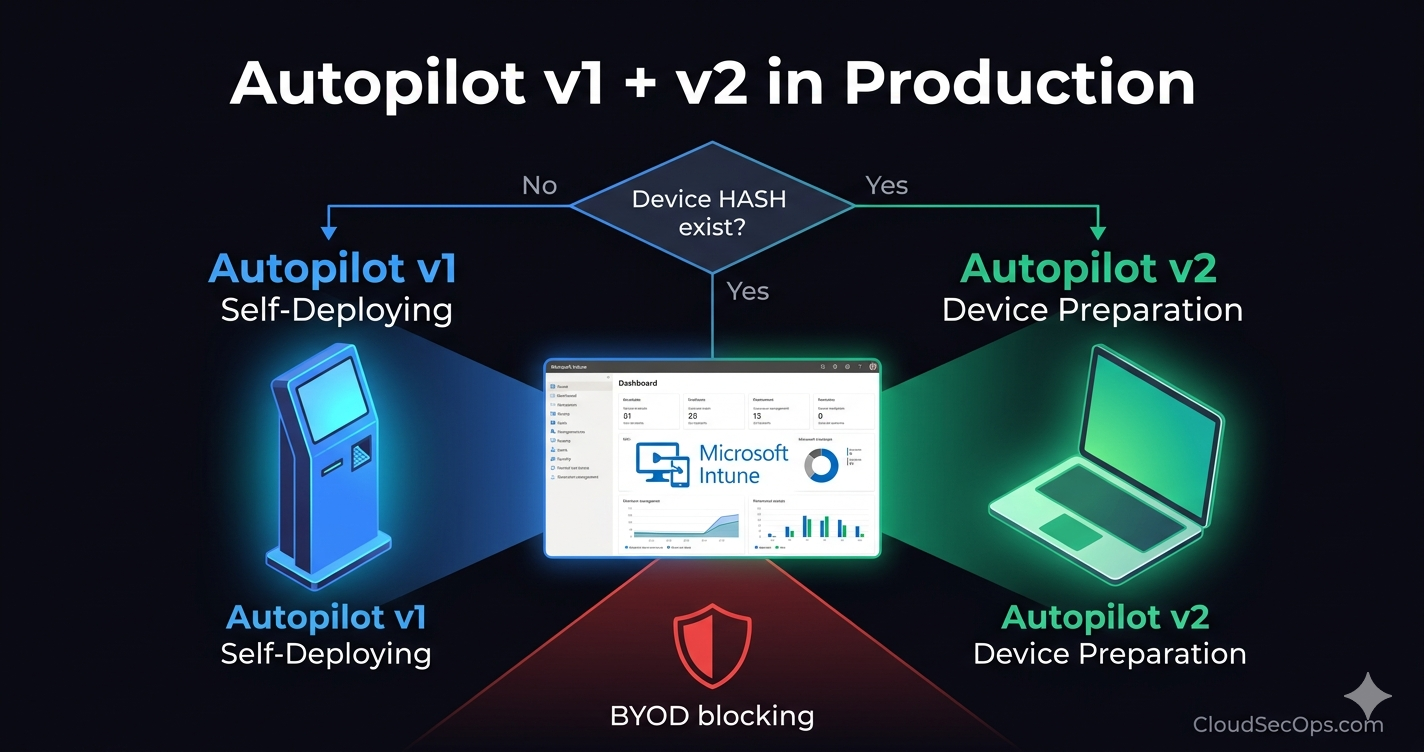
The branching decision is simple: does the device have a hardware hash pre-imported in Intune? If yes → Autopilot v1 Self-Deploying path. If no → user signs in and the Autopilot v2 Device Preparation path evaluates. This single decision drives the entire flow.
The following mindmap represents the complete deployment architecture combining both Autopilot v1 and v2 in a single Intune tenant. Color coding: BLUE = v1 path GREEN = v2 path RED = common elements
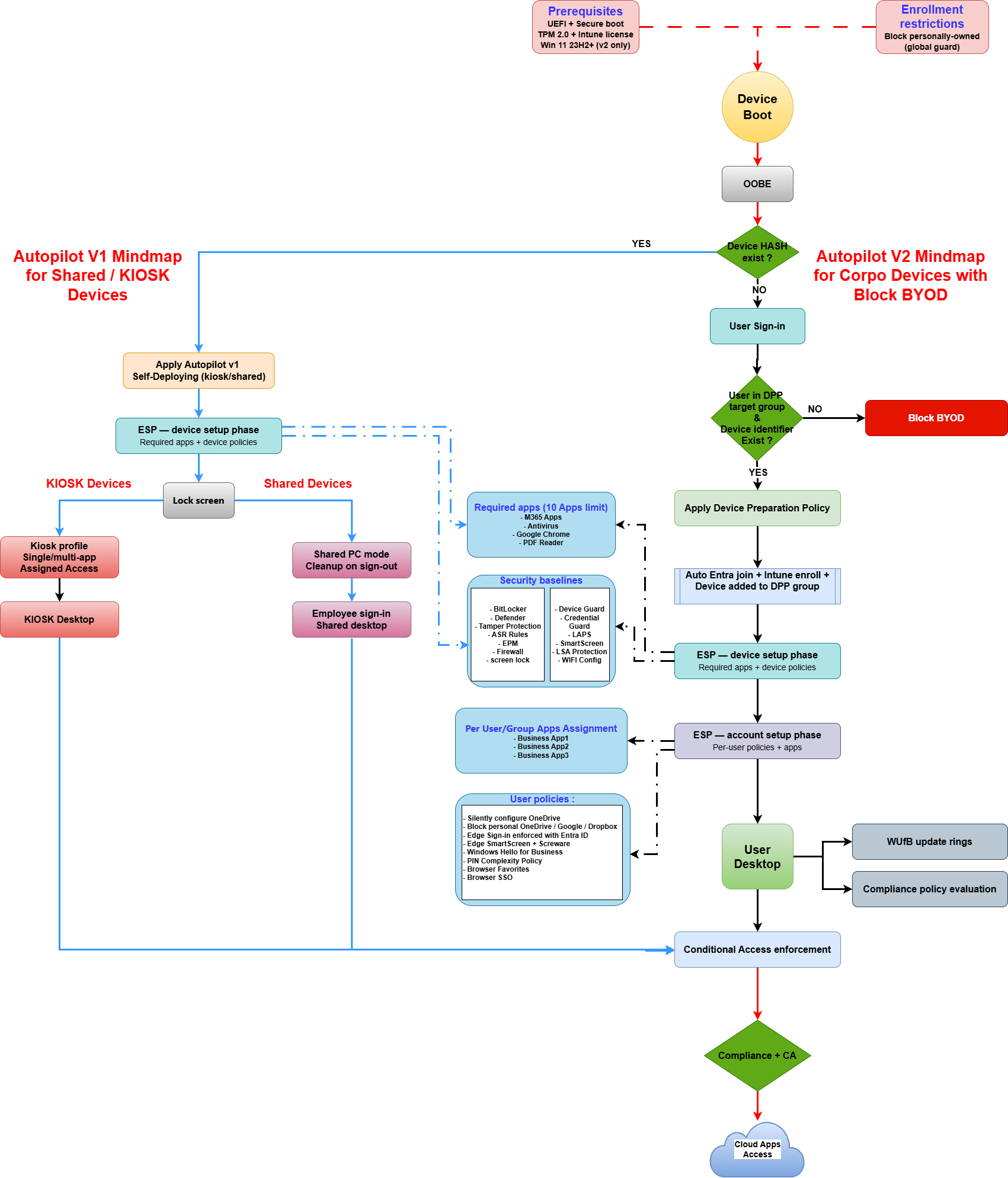
The flow begins at OOBE. Every device hits the same entry point : Device Boot → OOBE. Two global guards apply before any Autopilot logic: the Prerequisites (UEFI, Secure Boot, TPM 2.0, Intune license) and the Enrollment Restrictions (Block personally-owned devices).
From there, the first decision is: does the device hardware hash exist in Intune?
If YES , the device enters the Autopilot v1 Self-Deploying path. The Self-Deploying profile is applied, the ESP runs in device setup phase only (no account setup, no user affinity), and the device lands on the lock screen. Depending on the device group assignment, it either becomes a kiosk (Assigned Access profile) or a shared PC (Shared PC Mode with cleanup on sign-out).
If NO , the user signs in with their Entra ID credentials. Intune evaluates two things in sequence: is the user a member of the Device Preparation Policy target group, AND does the device serial exist in the Corporate Device Identifiers list? If both conditions are met, the DPP applies, the device is automatically Entra joined and Intune enrolled, and the ESP runs both phases (device setup + account setup). If either condition fails, enrollment is blocked , this is the BYOD protection mechanism.
| Feature | Autopilot v1 Self-Deploying | Autopilot v2 Device Preparation |
|---|---|---|
| Hardware hash required | Yes , must be pre-imported | No |
| User interaction at OOBE | None , fully automated | User signs in |
| User affinity | No | Yes |
| ESP phases | Device setup only | Device setup + Account setup |
| Targeting mechanism | Device group (via GroupTag) | User group (DPP target) |
| Corporate ownership | Automatic (hash = corporate) | Via Corporate Device Identifiers |
| OS requirement | Windows 10/11 | Windows 11 23H2+ |
| App limit in profile | No hard limit | 10 apps max in DPP |
| Ideal use case | Kiosk, shared PC, digital signage | Corporate user laptops |
| TPM 2.0 | Required | Required |
Autopilot v1 (1,400 devices): All store kiosks and shared PCs are purchased in bulk. The OEM provides hardware hashes. Devices ship directly to stores an employee plugs them in, connects WiFi, and Self-Deploying takes over. Kiosks get a single-app Assigned Access profile (POS application). Shared PCs get Shared PC Mode with automatic cleanup on sign-out.
Autopilot v2 (250 devices): Corporate laptops for HQ staff are drop-shipped to employees’ homes. Serial numbers are uploaded to Corporate Device Identifiers. The employee starts the laptop, signs in, and the DPP provisions everything, M365, security policies, OneDrive KFM, Edge SSO.
Autopilot v1: 50 nursing station workstations deploy as shared PCs (account cleanup on sign-out, guest access disabled). Apps: EHR client, clinical tools. Security baselines: Defender, BitLocker, strict ASR rules. No per-user policies, clinicians sign in at the lock screen and get a clean session each time.
Autopilot v2: 80 physician laptops are drop-shipped with Corporate Device Identifiers. Full configuration: M365, OneDrive KFM for documentation templates, Edge SSO to the EHR portal, Windows Hello for Business for fast authentication between patient rooms.
Autopilot v1: 30 rugged floor terminals with single-app kiosk profile running the MES client. Self-Deploying + Assigned Access. USB disabled, camera blocked, network restricted to the MES VLAN via WiFi config profile.
Autopilot v2: 60 engineering workstations drop-shipped. Full corporate suite: M365, AutoCAD/SolidWorks as Win32 apps, OneDrive KFM, Credential Guard enabled (sensitive IP access).
Common (both paths)
| Requirement | Details |
|---|---|
| Licensing | Intune Plan 1 (M365 E3/E5, EMS E3/E5) |
| Entra ID | P1 minimum (P2 for risk-based CA) |
| Firmware | UEFI + Secure Boot enabled |
| TPM | TPM 2.0 |
| Network | Internet access during OOBE |
| Autopilot v1 : additional | Autopilot v2 : additional |
| Hardware hash imported in Intune GroupTag assigned for targeting Self-Deploying profile created Device group (static or dynamic) Windows 10 or 11 | Windows 11 23H2+ (mandatory) Device Preparation Policy created User security group as DPP target Static device group for policy assignment Corporate Device Identifiers uploaded Enrollment Restriction: block personal |
Blocking BYOD works differently depending on the path.
If the device hash exists in Intune, it’s a known corporate device. There’s no BYOD risk, the hash was explicitly imported by IT.
This is the critical scenario: a user in the DPP target group buys a personal PC, starts it, and signs in with their work account during OOBE. Without protection, the DPP would enroll that personal PC as corporate.
The protection relies on two mechanisms combined:
Serial numbers must be uploaded to Intune before the employee powers on the device. Coordinate with procurement: get serial lists from the OEM order confirmation and upload them the day the order ships.
The golden rule :
Applied to all managed devices regardless of path:
| Policy | Key settings |
|---|---|
| BitLocker | Silent encryption, TPM-only protector |
| Microsoft Defender | Real-time protection, cloud-delivered |
| Tamper Protection | Enabled |
| ASR Rules | Block Office macro code, credential stealing |
| Firewall | All profiles enabled |
| LAPS | Auto rotation, Entra ID storage |
| SmartScreen | Block with override for Edge |
| WiFi Configuration | Corporate SSID, cert-based auth |
| Policy | Assigned to |
|---|---|
| Kiosk profile (Assigned Access) | Kiosk device group |
| Shared PC Mode (cleanup on sign-out) | Shared device group |
| USB storage block | Both groups |
| Camera disabled | Kiosk devices only |
| Policy | Scope |
|---|---|
| OneDrive KFM (silent redirect) | Device |
| Block personal OneDrive/Google/Dropbox upload | Device |
| Edge Sign-in enforced with Entra ID | User |
| Edge SmartScreen + Screware | User |
| Windows Hello for Business | Device |
| PIN Complexity Policy | User |
| Browser Favorites + SSO | User |
After enrollment completes on either path, two layers enforce access to cloud resources :
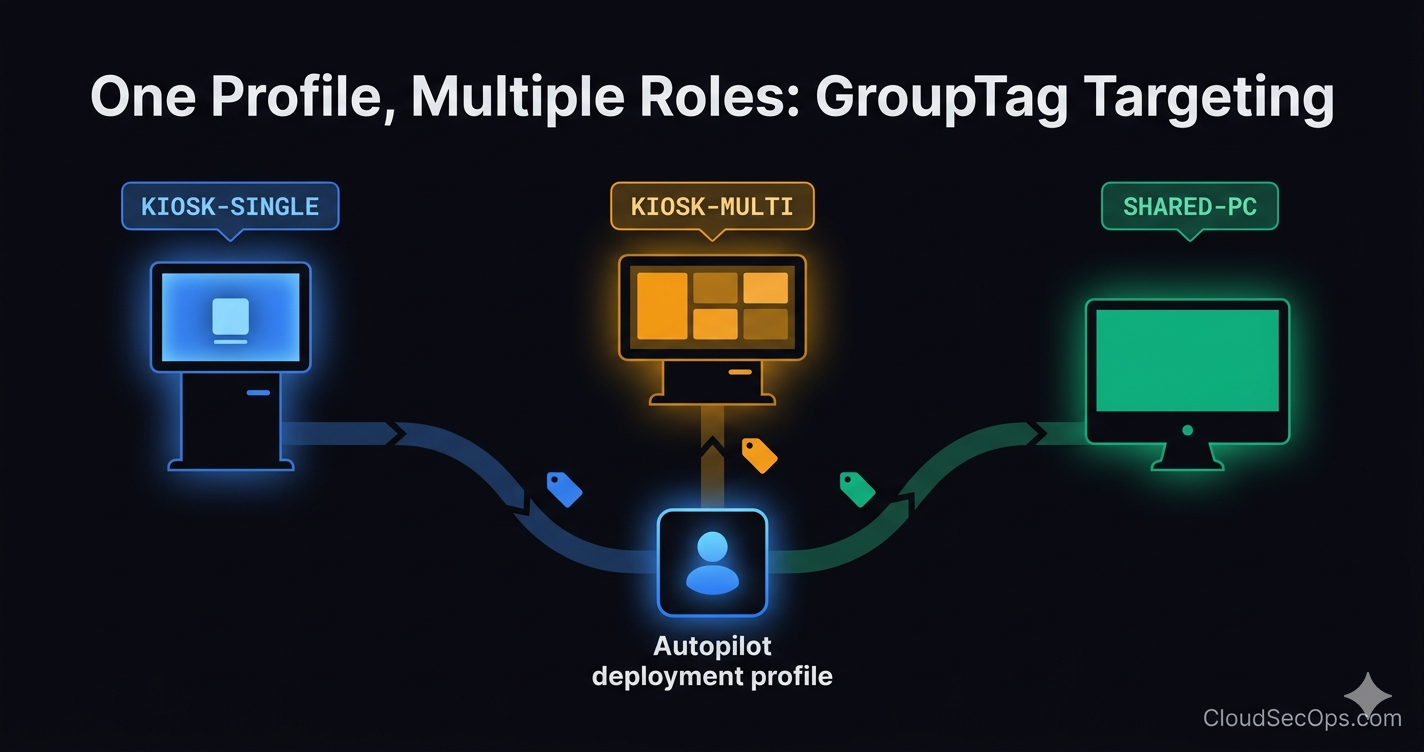
KIOSK-STORE and SHARED-BACKOFFICE to differentiate at import time.Running Autopilot v1 and v2 side by side in a single tenant is the recommended approach for organizations with diverse device fleets. The key is understanding that each path serves a distinct purpose: v1 Self-Deploying for zero-touch kiosks and shared devices, v2 Device Preparation for corporate user endpoints where identity drives the enrollment.
The architecture provides three critical capabilities: automated provisioning for both device types with minimal IT intervention, BYOD protection through Corporate Device Identifiers + Enrollment Restrictions, and policy segregation ensuring kiosk devices get kiosk policies and corporate devices get the full user experience.
Autopilot v1 and v2 are not competing technologies. They’re complementary , and your devices will thank you for using the right tool for the right job.
Thanks