Physical Address
304 North Cardinal St.
Dorchester Center, MA 02124
Physical Address
304 North Cardinal St.
Dorchester Center, MA 02124

Explore practical guides and tools for Microsoft 365, Azure, and PowerShell. Enhance your cloud security and admin skills with expert insights and automation tips.
Explore practical guides and tools for Microsoft 365, Azure, and PowerShell. Enhance your cloud security and admin skills with expert insights and automation tips.
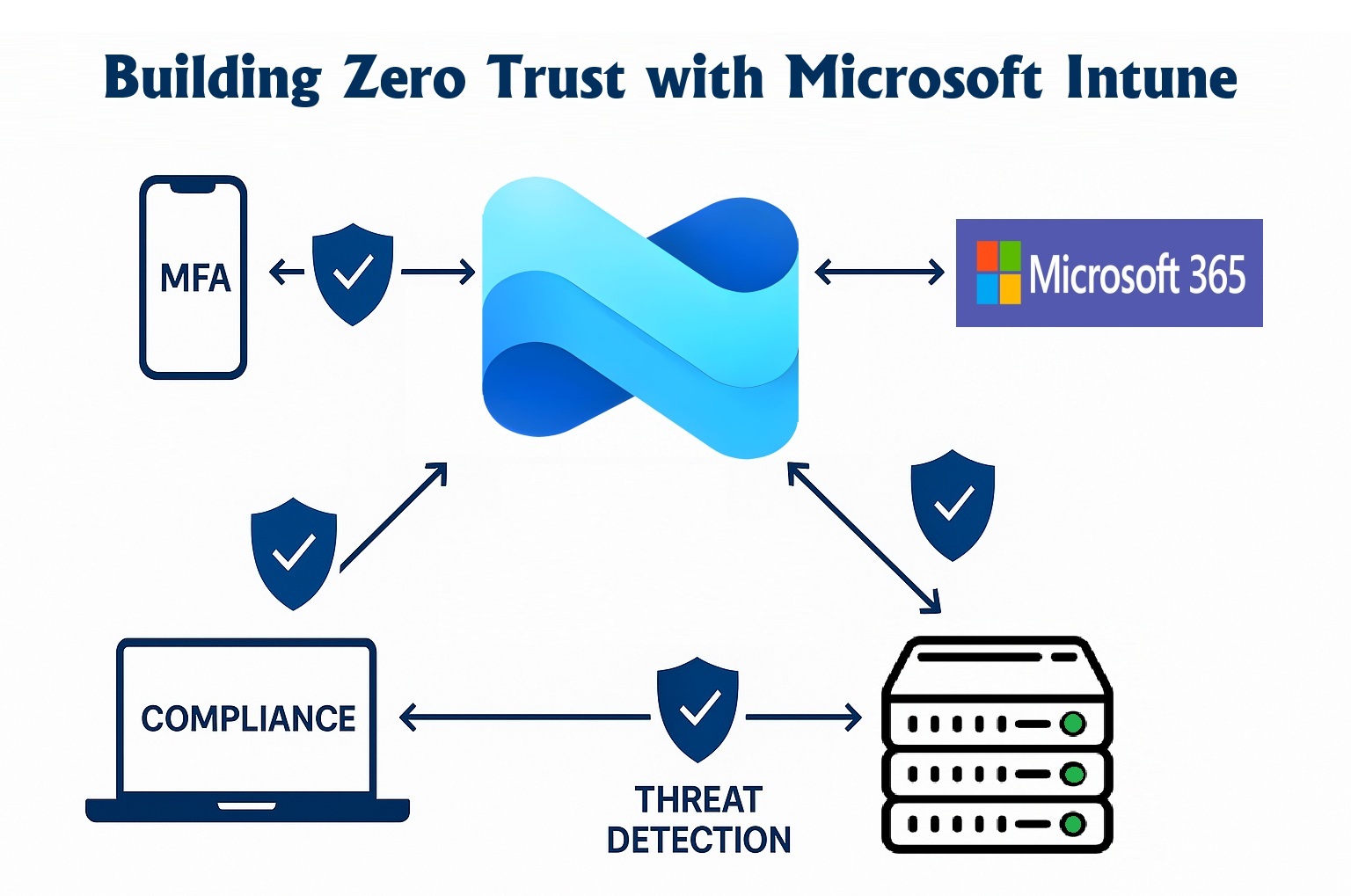

Cybersecurity threats aren’t getting any simpler or easier to spot. With users working from everywhere and data flowing across clouds and devices, the old perimeter-based approach “Trust but verify” just doesn’t cut it anymore. That’s where the Zero Trust model comes in, and Microsoft Intune is a powerful ally you can use to make it real.
Zero Trust flips the traditional mindset. Instead of assuming certain users or devices are inherently trustworthy because they’re inside a corporate network, it treats every attempt to access resources whether from your head office or a home coffee shop as potentially risky. The principle is simple:
Never trust, always verify
You can’t protect what you don’t understand. Make sure you know exactly what data is sensitive, which apps are mission-critical, and who really needs to access what. Use Intune to create policies that reflect these priorities enforcing your standards across the board.
“Conditional Access” is the gatekeeper of Zero Trust. Why let a device or account in just because it’s using the right password ? With Intune and Entra ID, you can require multi-factor authentication (MFA), block access from suspicious locations, and ensure only compliant devices get through. If a phone is unpatched, or someone is trying to sign in from halfway around the globe, it’s okay to say “no” or ask for much more proof.
Related Article : 10 Must Have Conditional Access Policies to Enhance Security and protect M365 Tenant from Token Theft – CloudSecOp.com : Real-World Tech Insights
Device compliance policies in Intune allow you to define strict rules that devices must meet to be considered secure and trusted. This includes requirements like having the latest OS version, mandatory encryption, enabled firewalls, and no jailbroken or rooted status. Only devices meeting these criteria are granted access to corporate resources, helping ensure that your environment remains protected from vulnerable or compromised endpoints.
Related Article : Intune : Create Compliance Policy and automatically open tickets for non compliant devices – CloudSecOp.com : Real-World Tech Insights
The modern workplace is a BYOD jungle. Intune’s Mobile Application Management (MAM) policies let you separate work and personal data even on the same device. You can block risky actions like copy-paste between business and personal apps, enforce app-specific PINs, and remotely wipe business data if needed.
Related Article : Securing your M365 Mobile Applications : Using Microsoft Intune for Effective Protection Policies – CloudSecOp.com : Real-World Tech Insights
Microsoft Defender for Endpoint pairs nicely with Intune, letting threat signals feed straight into policy decisions. If Defender detects suspicious activity, Intune can automatically trigger actions like quarantining a device or tightening access for a user. It’s proactive, not reactive.
Related Article 1 : Microsoft Defender for Business : Configuration and mangement with Intune – CloudSecOp.com : Real-World Tech Insights
Related Article 2 : Intune : Boost Defender Security with ASR rules – CloudSecOp.com : Real-World Tech Insights
Zero Trust isn’t a checklist you check once. With Intune, you get reporting and analytics to watch for abnormal behaviors, detect vulnerable devices, and adjust policies based on real-world activity, stay nimble, update your rules as threats and your business change.
Zero Trust, powered by Intune, isn’t just theory it’s how you build lasting, real security in a complex world. By verifying everything, limiting privileges, and assuming threats could come from anywhere, you make sure your data stays safe no matter where work happens.
Ready to get started ? Dive into your Intune policies, and start building your Zero Trust foundation today.
Thanks