Physical Address
304 North Cardinal St.
Dorchester Center, MA 02124
Physical Address
304 North Cardinal St.
Dorchester Center, MA 02124

Explore practical guides and tools for Microsoft 365, Azure, and PowerShell. Enhance your cloud security and admin skills with expert insights and automation tips.
Explore practical guides and tools for Microsoft 365, Azure, and PowerShell. Enhance your cloud security and admin skills with expert insights and automation tips.
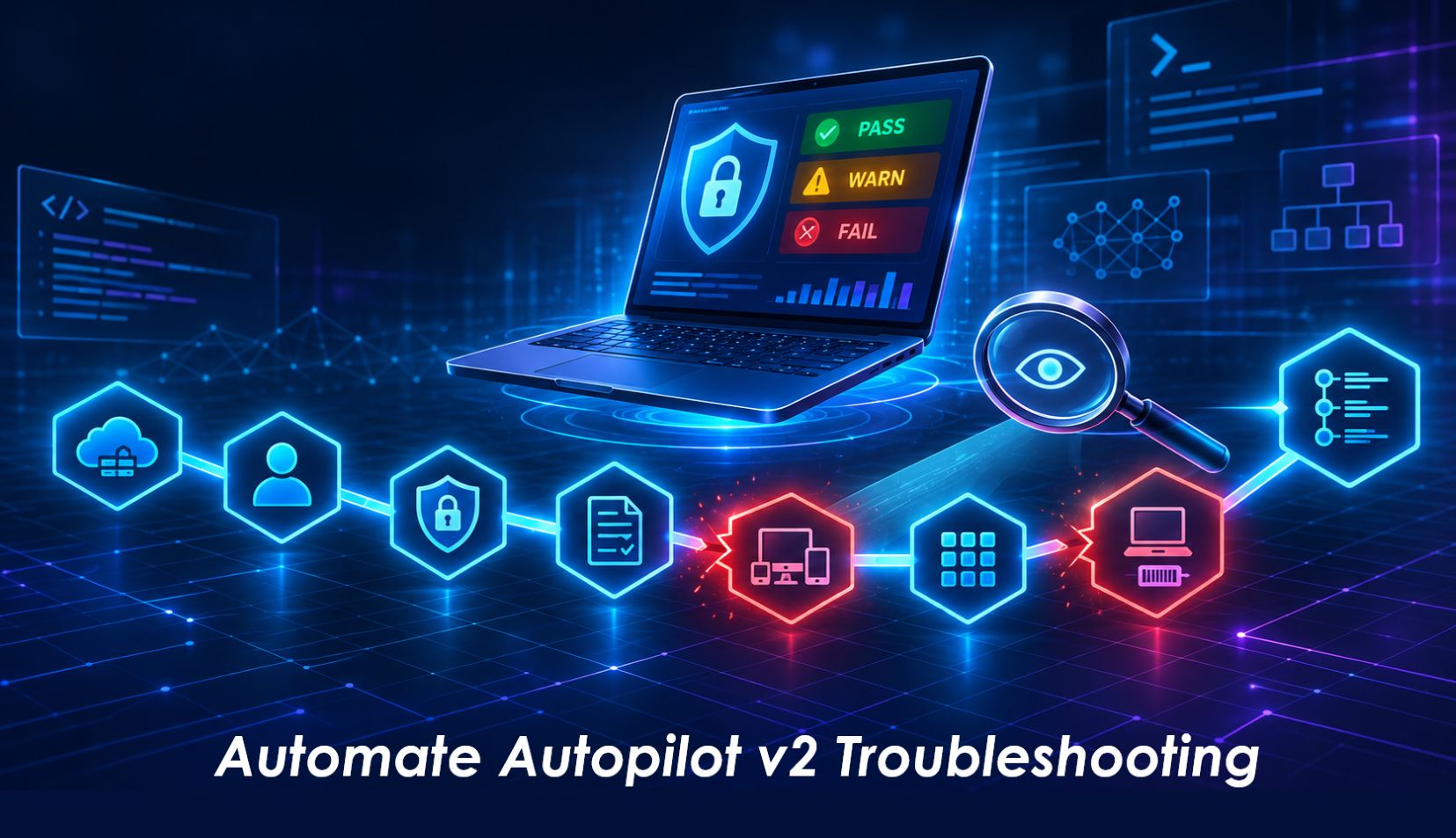
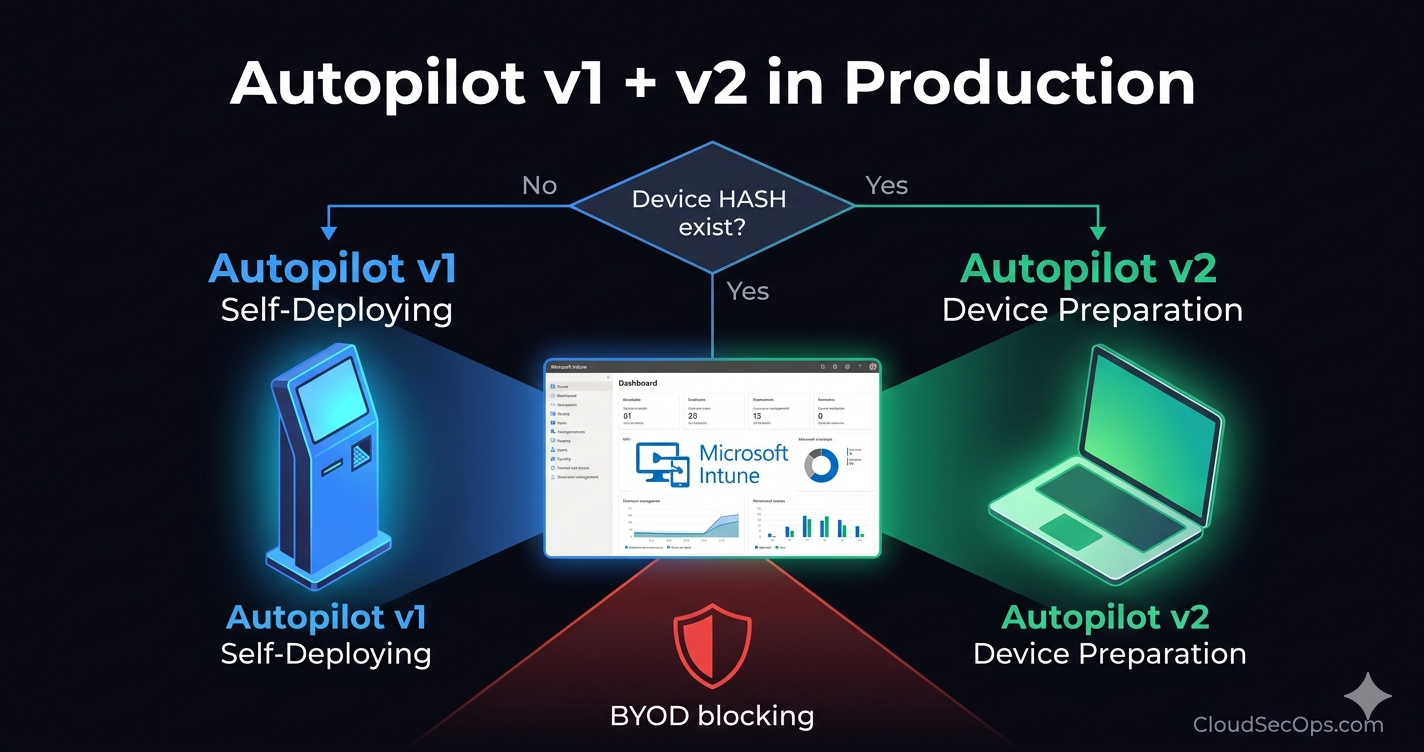
Autopilot device preparation rarely fails loudly. The device joins Entra, lands on the desktop, and the apps you expected simply never show up. This article walks through a read-only PowerShell script that checks every tenant-side link of the Autopilot v2 chain in one run, and explains how to read and act on its report.
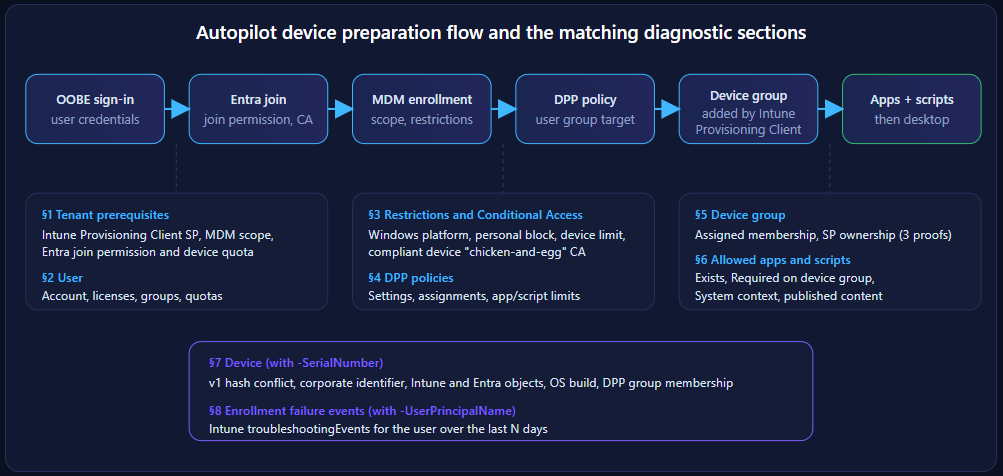
Windows Autopilot device preparation (DPP, often called Autopilot v2) was re-architected around one key idea: no hardware hash registration. The user signs in during OOBE, the device joins Microsoft Entra ID, enrolls in Intune, and the Intune Provisioning Client service principal adds the device to a pre-defined security group. Apps and scripts assigned as Required to that group are then delivered in a serialized way before the user reaches the desktop.
That design removes the hash import burden, but it moves the complexity elsewhere. A successful deployment depends on a dozen independent objects configured in two different portals: Entra ID and Intune. When one of them is wrong, DPP does not always throw a clear error. It may just skip the device preparation phase entirely, and the user gets a bare desktop.
Troubleshooting these cases by clicking through the portals is slow and error-prone, especially in tenants that run v1 and v2 side by side during a migration. The script presented here turns that checklist into a single, repeatable, read-only audit.
Every DPP deployment walks the same path. Each step depends on tenant-side objects, and each object maps to one section of the script.
A diagnostic tool that runs in production must be safe to hand to a level 2 technician or to run during an incident. The script enforces that at two independent levels.
| Parameter | Effect |
|---|---|
-UserPrincipalName | Enables user checks: licenses, transitive groups, MDM scope, join permission, Entra and Intune quotas, CA evaluation, policy targeting, enrollment failure events. |
-SerialNumber | Enables device checks: Autopilot v1 conflict, corporate identifier, Intune and Entra objects, OS build, DPP group membership. |
-PolicyName | Wildcard filter on DPP policy names, for example "DPP*". |
-DeviceGroupId | One or more group objectIds to audit in addition to the groups owned by the Intune Provisioning Client. |
-TenantId | Target tenant, useful for MSPs and multi-tenant operators. |
-LookbackDays | Window for enrollment failure events, 1 to 90 days (default 14). |
-ExportPath | Local folder for the HTML and CSV report. |
-PassThru | Also returns the results as objects for pipeline processing. |
# 1. Tenant health check (no user, no device): prerequisites, CA, policies, groups, apps
.\Test-AutopilotDevicePrep-EN.ps1 -ExportPath C:\Temp\DPP

# 2. Incident on one device: full chain for a user and a serial number
.\Test-AutopilotDevicePrep-EN.ps1 -UserPrincipalName jdoe@contoso.org -SerialNumber 5CG1234XYZ -ExportPath C:\Temp\DPP

# 3. Automation: keep only blocking items and feed them to another tool
$r = .\Test-AutopilotDevicePrep-EN.ps1 -UserPrincipalName jdoe@contoso.org -PolicyName 'DPP*' -PassThru
$r | Where-Object Status -eq 'FAIL' | Format-Table Category, Check, Remediation -Wrapcheck the script directly on my Github repo :
Each check produces one row with five columns: Status, Category, Check, Detail, Remediation. The HTML report follows the system light or dark theme; the CSV is ready for Excel or Power BI.
| Status | Meaning | Action |
|---|---|---|
| __FAIL__ | A blocking misconfiguration. DPP will fail or be skipped. | Fix first, in the order of the summary. |
| __WARN__ | Risky or ambiguous configuration that may cause partial failures. | Review and decide. |
| __PASS__ | Check validated. | None. |
| __INFO__ | Context: settings, counts, identifiers. | Use for correlation. |
| SKIP | Check not run: missing parameter, scope or role. | Never read a SKIP as a PASS. Fix permissions and rerun. |
User: jdoe@contoso.org | Serial number: 5CG1234XYZ | Generated on 2026-11-09 09:14
PASS 23 | WARN 9 | FAIL 9 | INFO 38 | SKIP 0
| Status | Category | Check | Detail | Remediation |
|---|---|---|---|---|
| INFO | Tenant | Tenant | Contoso Ltd (3f8a1c2e-6b4d-4e9a-a1f0-9c2d7e5b8a13), account: auditor@contoso.org | |
| PASS | Tenant | Intune Provisioning Client SP | Intune Provisioning Client present and enabled (objectId 7c1e4b2a-93d5-4f61-b0a8-2e5d9c3f1a74) | |
| INFO | Tenant | Intune MDM user scope | MDM user scope: Some (SG-Intune-MDM-Users) | |
| INFO | Tenant | Entra join allowed | Selected: 0 user(s), 1 group(s) | |
| INFO | Tenant | Entra device quota | 20 device(s) max per user | |
| INFO | Tenant | MFA to join devices | notRequired | |
| PASS | User | Account | John Doe enabled (id 9d4e2f1a-5c7b-4a38-8e61-0b2f3c4d5e6f) | |
| WARN | User | Usage location | No usageLocation set. | Set usageLocation, otherwise license assignment may fail. |
| PASS | User | Intune license | INTUNE_A active | |
| PASS | User | Entra ID P1/P2 license | Present (required for automatic MDM enrollment) | |
| INFO | User | Groups | Member of 14 group(s) (transitive) | |
| PASS | User | In MDM scope | User is a member of an MDM scope group | |
| PASS | User | Allowed to join | User is in the Entra join selection | |
| PASS | User | Entra quota | 3 / 20 owned devices | |
| PASS | Restrictions | Windows platform | Allowed by ‘All users’ (effective for jdoe@contoso.org) | |
| INFO | Restrictions | Personal devices | Personal Windows enrollment blocked: each DPP device needs a corporate identifier (checked in section 7 with -SerialNumber). | |
| PASS | Restrictions | Intune device limit | 2 / 5 (‘All users’) | |
| FAIL | Conditional Access | Compliant device requirement | ‘CA012-AllApps-RequireCompliantDevice’ (enabled) targets Intune enrollment, controls: compliantDevice, user scope: Included | Chicken-and-egg blocker: exclude the “Microsoft Intune Enrollment” app (d4ebce55-015a-49b5-a083-c84d1797ae8c) and do not require a compliant device on the Register or join devices action. |
| WARN | Conditional Access | Compliant device requirement | ‘CA020-RegisterDevice-RequireCompliant’ (enabledForReportingButNotEnforced) targets Register or join devices user action, controls: compliantDevice, user scope: Included (report-only) | Would block enrollment if enabled. |
| INFO | Conditional Access | Policy in scope | ‘CA001-AllUsers-RequireMFA’ (enabled) targets Intune enrollment, controls: mfa, user scope: Included | |
| INFO | Policy: DPP-UserDriven-Corp | Identity | id 5b9e1d3c-2a47-4f8e-9c16-7d0a3b2e4f58, last modified 2026-10-28T14:22:07Z | |
| INFO | Policy: DPP-UserDriven-Corp | Allow diagnostics collection | allowdiagnostics_1 | |
| INFO | Policy: DPP-UserDriven-Corp | Allow users to skip | allowskip_1 | |
| INFO | Policy: DPP-UserDriven-Corp | Custom error message | Contact the Contoso Service Desk at ext. 4357 | |
| INFO | Policy: DPP-UserDriven-Corp | User account type | accountype_0 (Standard user) | |
| INFO | Policy: DPP-UserDriven-Corp | Deployment mode | deploymentmode_0 (User-driven) | |
| INFO | Policy: DPP-UserDriven-Corp | Deployment type | deploymenttype_0 | |
| INFO | Policy: DPP-UserDriven-Corp | Join type | jointype_0 (Microsoft Entra joined) | |
| INFO | Policy: DPP-UserDriven-Corp | Installation timeout (minutes) | 60 | |
| INFO | Policy: DPP-UserDriven-Corp | Allowed apps | 6 app(s) selected | |
| INFO | Policy: DPP-UserDriven-Corp | Allowed scripts | 2 script(s) selected | |
| INFO | Policy: DPP-UserDriven-Corp | Assignments | Included: SG-DPP-Users-Corp | Excluded: none | |
| PASS | Policy: DPP-UserDriven-Corp | User targeting | User is targeted by this policy | |
| INFO | Policy: DPP-Pilot-Finance | Identity | id 8e2c4a6b-1d3f-4b5a-9e7c-0f1a2b3c4d5e, last modified 2026-09-15T09:41:53Z | |
| INFO | Policy: DPP-Pilot-Finance | Allow diagnostics collection | allowdiagnostics_1 | |
| INFO | Policy: DPP-Pilot-Finance | Allow users to skip | allowskip_0 | |
| INFO | Policy: DPP-Pilot-Finance | Custom error message | Pilot build: contact the Endpoint team | |
| INFO | Policy: DPP-Pilot-Finance | User account type | accountype_1 (Administrator) | |
| INFO | Policy: DPP-Pilot-Finance | Deployment mode | deploymentmode_0 (User-driven) | |
| INFO | Policy: DPP-Pilot-Finance | Deployment type | deploymenttype_0 | |
| INFO | Policy: DPP-Pilot-Finance | Join type | jointype_0 (Microsoft Entra joined) | |
| INFO | Policy: DPP-Pilot-Finance | Installation timeout (minutes) | 90 | |
| INFO | Policy: DPP-Pilot-Finance | Allowed apps | 3 app(s) selected | |
| INFO | Policy: DPP-Pilot-Finance | Allowed scripts | 1 script(s) selected | |
| INFO | Policy: DPP-Pilot-Finance | Assignments | Included: SG-DPP-Users-Pilot | Excluded: none | |
| PASS | Policy: DPP-Pilot-Finance | User targeting | User is targeted by this policy | |
| WARN | DPP policy | Overall targeting | Several policies target the user: DPP-UserDriven-Corp, DPP-Pilot-Finance | Only the highest priority policy applies: check the order in the portal. |
| INFO | Device group | Groups owned by Intune Provisioning Client | 2 group(s): SG-DPP-Devices-Corp, SG-DPP-Devices-Pilot | |
| PASS | Group: SG-DPP-Devices-Corp | Membership type | Assigned | |
| PASS | Group: SG-DPP-Devices-Corp | Intune Provisioning Client owner | Confirmed via: SP ownedObjects ; owners, objectId 7c1e4b2a-93d5-4f61-b0a8-2e5d9c3f1a74 | |
| INFO | Group: SG-DPP-Devices-Corp | Members | 41 member(s) | |
| PASS | Group: SG-DPP-Devices-Pilot | Membership type | Assigned | |
| WARN | Group: SG-DPP-Devices-Pilot | Role-assignable | Group is assignable to Entra roles. | Not recommended for DPP: use a standard security group. |
| PASS | Group: SG-DPP-Devices-Pilot | Intune Provisioning Client owner | Confirmed via: SP ownedObjects ; owners, objectId 7c1e4b2a-93d5-4f61-b0a8-2e5d9c3f1a74 | |
| INFO | Group: SG-DPP-Devices-Pilot | Members | 4 member(s) | |
| FAIL | Group: SG-Autopilot-Devices-Legacy | Membership type | Dynamic group ((device.devicePhysicalIds -any (_ -contains “[ZTDId]”))). | The DPP group must use Assigned membership. |
| FAIL | Group: SG-Autopilot-Devices-Legacy | Intune Provisioning Client owner | Expected SP (objectId 7c1e4b2a-93d5-4f61-b0a8-2e5d9c3f1a74) is not an owner. Owners returned: Endpoint Admins Svc [user] 2a4c6e8f-1b3d-4f5a-8c7e-9d0b1a2c3e4f | Entra > Groups > [group] > Owners > Add: “Intune Provisioning Client” (AppId f1346770-5b25-470b-88bd-d5744ab7952c). |
| INFO | Group: SG-Autopilot-Devices-Legacy | Members | 187 member(s) | |
| PASS | DPP apps | Company Portal [winGetApp] | Required on SG-DPP-Devices-Corp | |
| PASS | DPP apps | Microsoft 365 Apps for enterprise [officeSuiteApp] | Required on SG-DPP-Devices-Corp, SG-DPP-Devices-Pilot | |
| FAIL | DPP apps | Contoso GlobalProtect VPN 6.2 [win32LobApp] | No Required assignment to the device group. Current: Included: SG-DPP-Users-Corp | Excluded: none | Assign the app as Required to the DPP device group (not to the user group). |
| WARN | DPP apps | 7-Zip 24.08 [win32LobApp] | Install context: user. | During OOBE, prefer the System context. |
| PASS | DPP apps | 7-Zip 24.08 [win32LobApp] | Required on SG-DPP-Devices-Corp | |
| WARN | DPP apps | Contoso Branding Pack [win32LobApp] | publishingState = processing | Content not published (upload in progress or failed): wait or upload again. |
| PASS | DPP apps | Contoso Branding Pack [win32LobApp] | Required on SG-DPP-Devices-Corp | |
| FAIL | DPP apps | App 4f7a9c2e-8b1d-4e3f-a6c5-2d9e0b7f1a38 | Not found or not accessible (Response status code does not indicate success: NotFound (Not Found).). Referenced by: DPP-UserDriven-Corp | App deleted? Remove it and select it again in the policy. |
| PASS | DPP apps | Microsoft Edge for Business [windowsMicrosoftEdgeApp] | Required on SG-DPP-Devices-Pilot | |
| PASS | DPP scripts | Set-ContosoTimeZone | Assigned to the device group | |
| WARN | DPP scripts | Rename-DeviceFromSerial | Runs in the user context. | During OOBE, prefer the System context. |
| FAIL | DPP scripts | Rename-DeviceFromSerial | Not assigned to the device group. Current: Included: SG-Autopilot-Devices-Legacy | Excluded: none | Assign the script to the DPP device group. |
| FAIL | Device | Autopilot v1 registration | Registered in v1 (groupTag ‘FIN-LAPTOP’, profile: assignedUnkownSyncState). The v1 profile takes precedence over device preparation. | Delete the registration (Devices > Windows > Enrollment > Devices) if the device must go through DPP. |
| FAIL | Device | Corporate identifier | Personal enrollment is blocked and no corporate identifier exists for this serial number: enrollment will be refused. | Intune > Devices > Enrollment > Corporate device identifiers: import “Manufacturer,Model,SerialNumber”. |
| INFO | Device | Intune object | CTS-FIN-5CG1234XYZ | enrolled 2026-11-06T13:07:44Z | last sync 2026-11-09T08:12:31Z | UPN jdoe@contoso.org | |
| INFO | Device | Enrollment | type windowsAzureADJoin | join azureADJoined | ownership company | compliance compliant | |
| PASS | Device | Windows version | 10.0.26100.4946 | |
| PASS | Device | Entra join type | Microsoft Entra joined | |
| FAIL | Device | Device group | The device was not added to any DPP device group: apps and scripts will not install during OOBE. | Typical causes: Intune Provisioning Client not owner of the group, group not selected in the policy, or DPP policy not applied (v1 profile took precedence). |
| WARN | Events | Enrollment failure | 2026-11-06T12:58:19Z | enrollmentRestriction | DeviceNotCorporate: personal Windows enrollment is blocked | OS 10.0.26100.4946 | Correlate with client-side logs (MDMDiagnosticsTool, Event Viewer). |
| WARN | Events | Enrollment failure | 2026-11-06T12:41:02Z | authorization | ConditionalAccessBlocked: device must be compliant | OS 10.0.26100.4946 | Correlate with client-side logs (MDMDiagnosticsTool, Event Viewer). |
Thanks