Physical Address
304 North Cardinal St.
Dorchester Center, MA 02124
Physical Address
304 North Cardinal St.
Dorchester Center, MA 02124

Explore practical guides and tools for Microsoft 365, Azure, and PowerShell. Enhance your cloud security and admin skills with expert insights and automation tips.
Explore practical guides and tools for Microsoft 365, Azure, and PowerShell. Enhance your cloud security and admin skills with expert insights and automation tips.
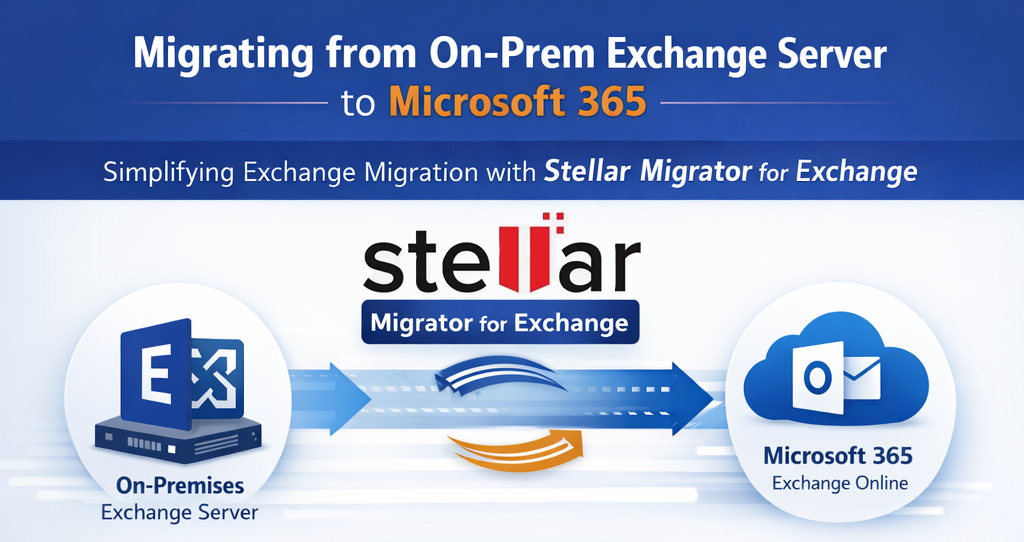
Migrating from an on-premises Exchange Server to Microsoft 365 Exchange Online is a strategic move for many organizations aiming to modernize their messaging infrastructure, improve availability, and reduce operational overhead. However, despite Microsoft providing native migration paths, real-world projects often expose limitations related to complexity, time constraints, and administrative effort.
After more than 10 years of hands-on Microsoft 365 and Exchange migration experience, I can confidently say that successful migrations depend less on theory and more on execution, reliability, and visibility. This is where Stellar Migrator for Exchange proves to be a powerful and pragmatic solution for IT administrators.
This article explores how Stellar Migrator for Exchange simplifies on-prem Exchange Server to Microsoft 365 migrations while minimizing risk, downtime, and operational complexity.
Organizations still running Exchange Server on-premises (2013, 2016, or 2019) often face the following challenges when planning a cloud migration:
While Microsoft’s native options (Cutover, Staged, Hybrid) work well on paper, they often require:
For many IT teams, especially those with tight timelines or limited Exchange expertise, these constraints introduce unnecessary risk.
Stellar Migrator for Exchange is a dedicated migration tool designed to simplify and automate mailbox migrations from on-premises Exchange Server to Microsoft 365 Exchange Online.
Unlike script-heavy native methods, Stellar provides a centralized, GUI-driven approach that allows administrators to migrate mailbox data with full control and visibility while reducing the dependency on complex hybrid configurations.
The tool supports :
1. Direct Connection to On-Prem Exchange and M365 : Stellar Migrator for Exchange connects directly to the on-premises Exchange Server (via EWS) and the Microsoft 365 tenant (Exchange Online) without requiring an extended hybrid deployment.
2. Flexible Migration Scenarios (Cutover, Staged, Hybrid-Like) : The tool supports multiple migration strategies tailored to business needs, including cutover migration for small to mid-size environments, staged migration for phased mailbox moves, and pre-migration with final delta sync. This flexibility allows admins to adapt the migration according to user impact tolerance and operational constraints.
3. Incremental Migration : The incremental synchronization feature enables an initial full mailbox migration followed by delta migrations that move only new or changed items. This allows users to continue working normally while IT prepares the final cutover, significantly reducing downtime and end-user disruption.
4. Comprehensive Data Coverage : Stellar Migrator for Exchange ensures migration of all critical components, including primary and archive mailboxes, public folders, folder structure and hierarchy, as well as permissions and metadata. This level of completeness is essential for maintaining user experience, compliance, and legal retention requirements.
5. Automated Mailbox Mapping : Mailbox mapping, often time-consuming, is simplified through automatic mailbox matching, CSV-based bulk mapping, and manual validation/adjustment capabilities. This automation reduces human error and accelerates large-scale migrations.
6. Real-Time Monitoring and Reporting : For IT admins, visibility ensures confidence with real-time dashboards showing migration progress, detailed logs for troubleshooting, and exportable reports for audit and documentation. These capabilities are especially useful when migrations must be reported to management or external auditors.
Below is a proven, admin-friendly workflow using Stellar Migrator for Exchange:
From real-world migration projects, Stellar offers clear advantages:
For organizations without dedicated Exchange specialists or those under tight deadlines, Stellar dramatically lowers migration risk.
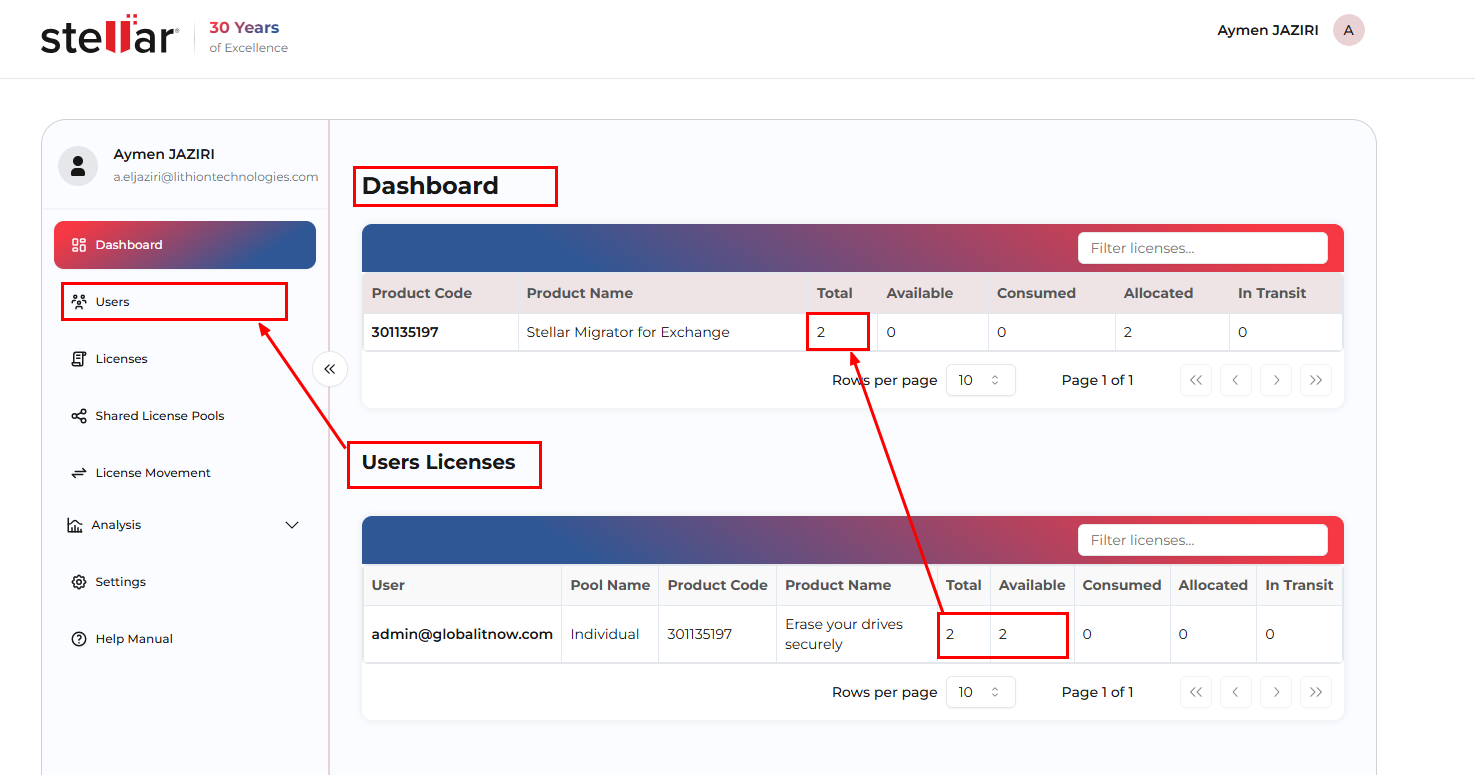
Before discussing how to use the application, there is something very important to know, which is that licenses are managed centrally from your main Stellar account. In fact, you must first create a Stellar registration and then assign the number of licenses you want to your technicians/admins who will be handling the migration.
I find this very smart and practical from a professional standpoint; it’s what we really need today.
When you connect to your Stellar Account, you need to assign licenses to users/technicians, then you’ll be able to see this window :
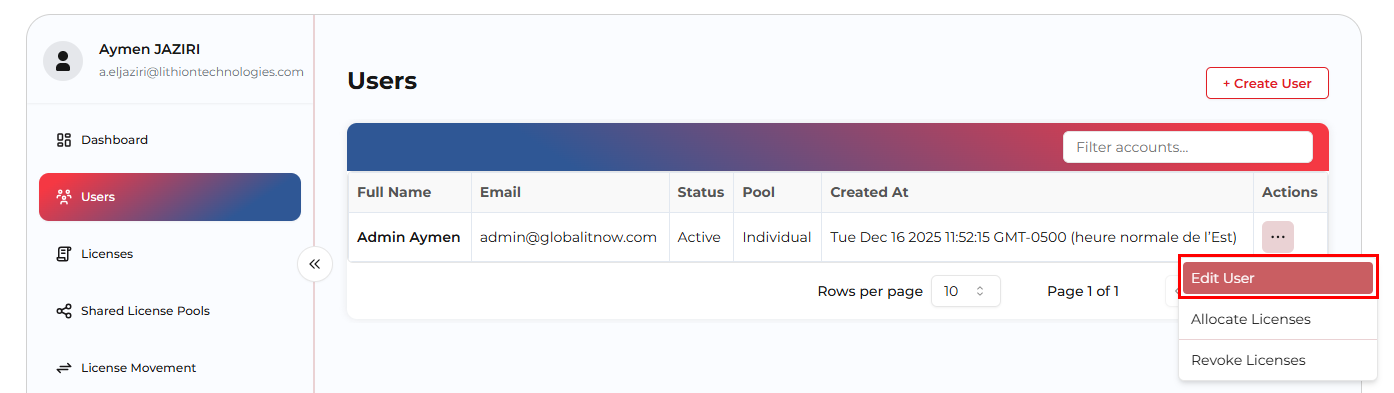
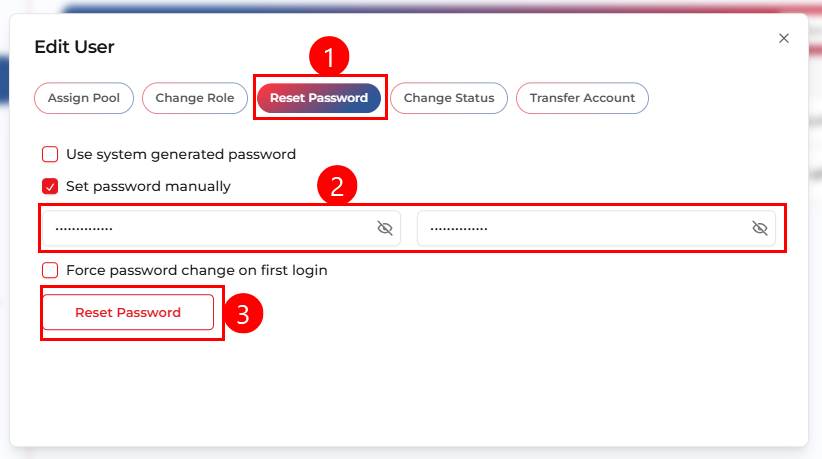
You need also to reset new created user password directly from users menu, edit user then select “Reset Password“:
You’ll see how intuitive and admin-friendly the interface is, along with the options available for precise mailbox selection, filtering, and export.
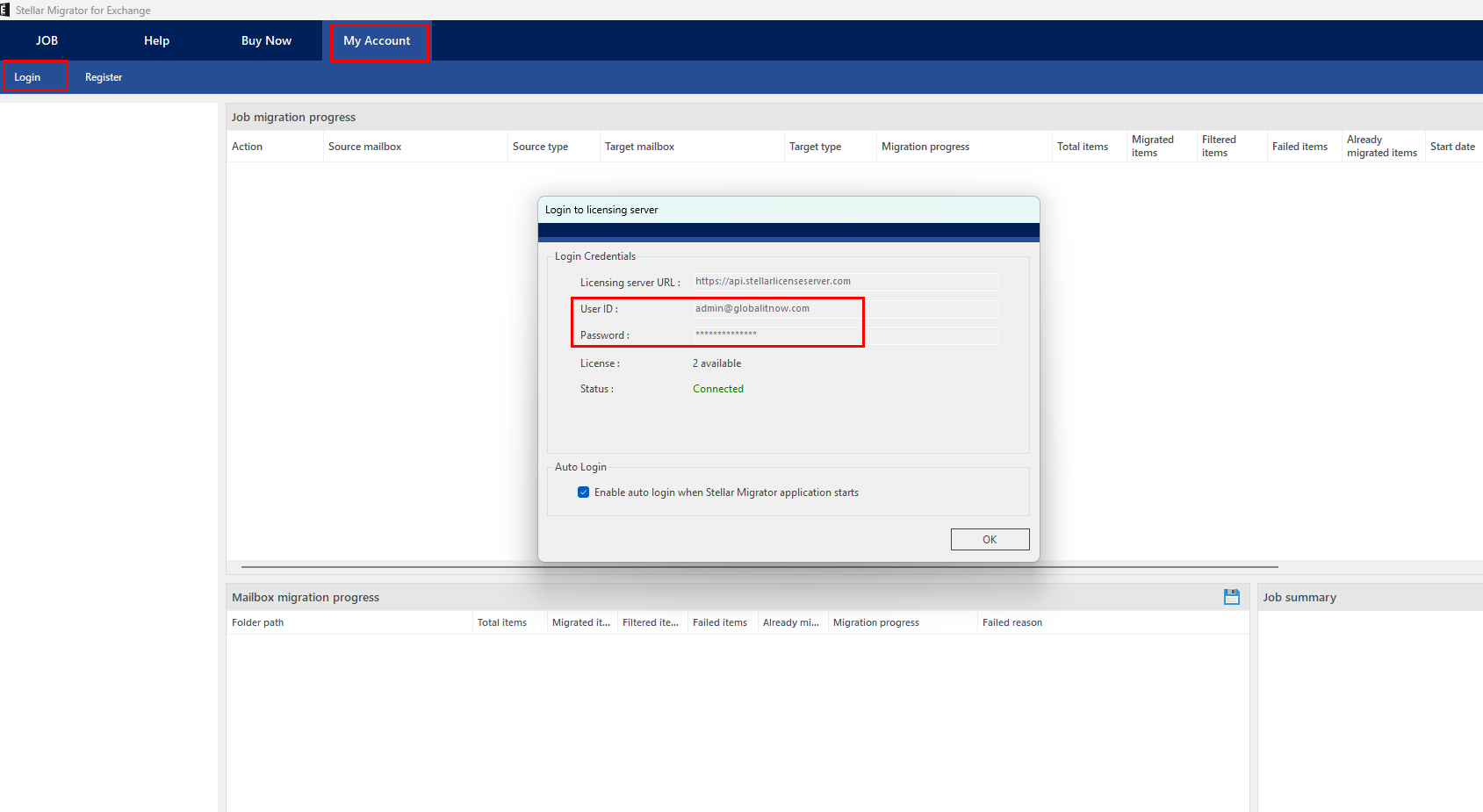

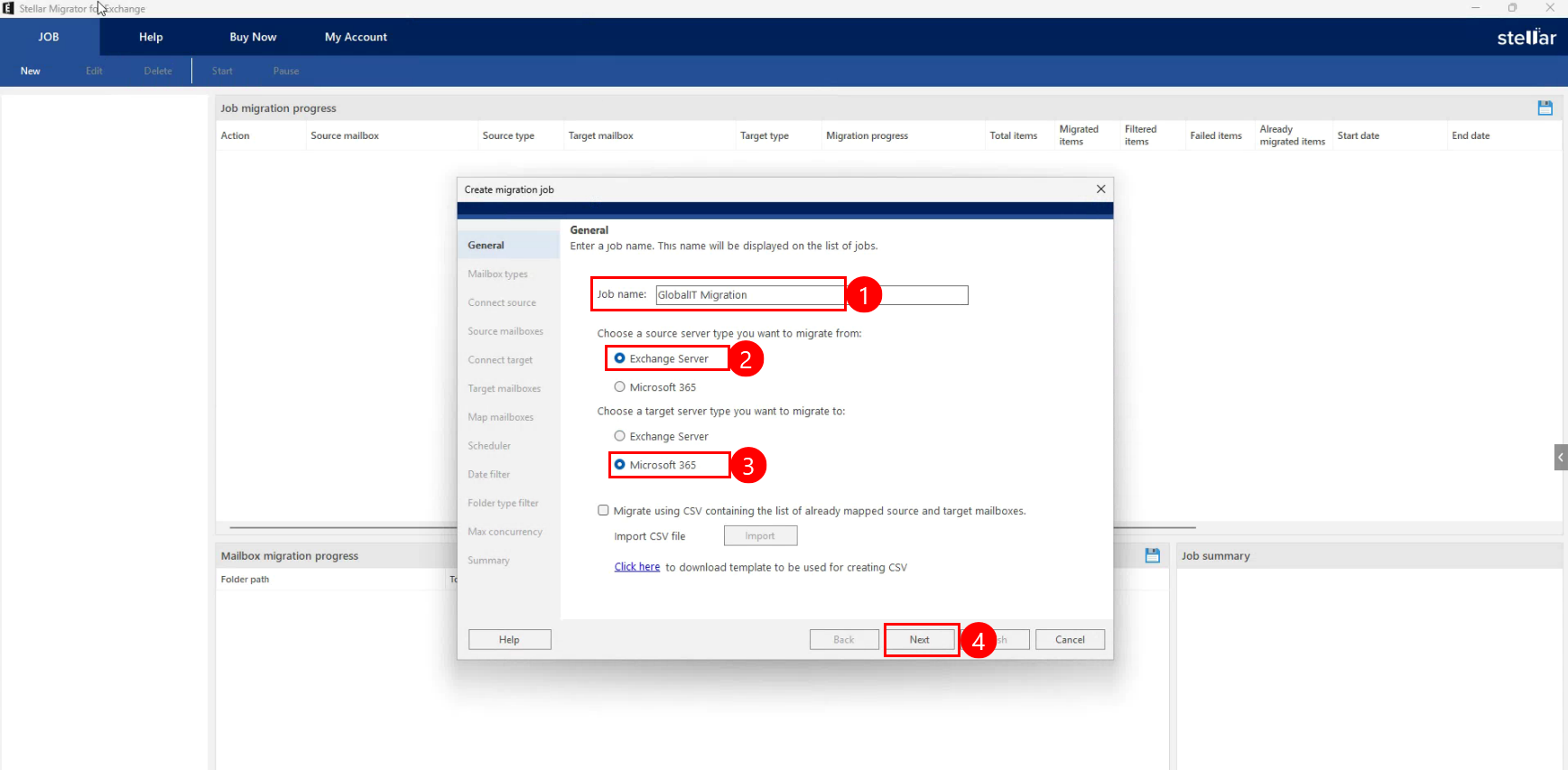
You can find all the remaining steps at this link :
How to Migrate from Exchange to Office 365?
Migrating from on-premises Exchange Server to Microsoft 365 Exchange Online is a critical transformation project that directly impacts business productivity. While Microsoft provides native tools, they are not always the most efficient or safest choice in complex or time-sensitive environments.
Stellar Migrator for Exchange offers IT administrators a reliable, structured, and scalable approach to Exchange migrations, combining automation, visibility, and flexibility into a single platform.
For organizations seeking a controlled, low-risk, and professionally executed migration, Stellar Migrator for Exchange is a tool well worth considering.
Thanks