Physical Address
304 North Cardinal St.
Dorchester Center, MA 02124
Physical Address
304 North Cardinal St.
Dorchester Center, MA 02124

Explore practical guides and tools for Microsoft 365, Azure, and PowerShell. Enhance your cloud security and admin skills with expert insights and automation tips.
Explore practical guides and tools for Microsoft 365, Azure, and PowerShell. Enhance your cloud security and admin skills with expert insights and automation tips.
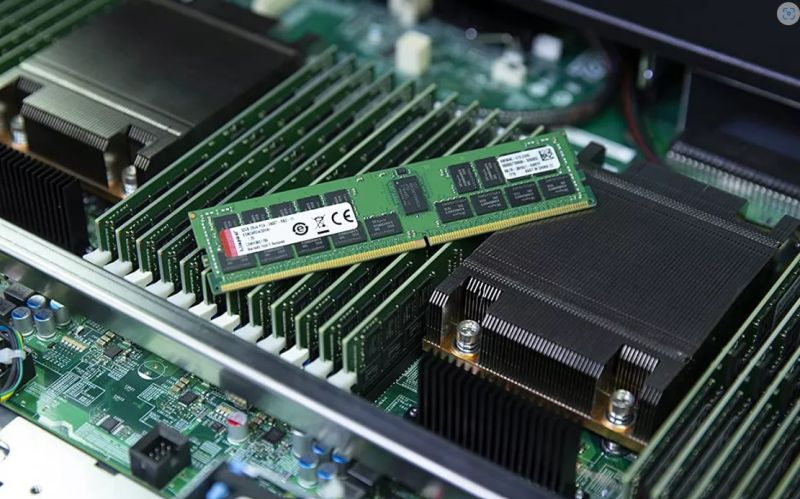

Planning a memory upgrade 🔧 for your physical server ?
Beware, it’s not as simple as it sounds ! Here’s what you absolutely need to know before your next upgrade ! 👇
✅Memory installation modes
Select one of this mode to install memory :
🚨 Independent mode :
– Default mode optimized for maximum performance
– Allows all channels to be populated without any particular constraints
– Ideal for environments requiring high performance
🚨 Mode Mirroring :
– Creates an identical copy of data in memory
– Requires identical array size and architecture
– Reduces total available memory by half
– Perfect for high availability and fault tolerance
🚨 Mode Rank Sparing :
– Reserves one memory rank per channel as a spare
– This spare rank is not used as active memory
– It must have the same or higher capacity than other ranks on the same channel
– Continuously monitors for memory errors
✅ Critical rules to follow
follow this steps with your memory upgrade :
🚨 Slot population :
– Fill white tab slots first, then black tab slots
– Start with the highest-capacity strips
– In a dual-processor setup, the configuration must be identical on both sides.
🚨 Compatibility :
– Do not mix more than two different capacities
– Use identical strips per channel to optimize performance
– Check compatibility with server and processor
✅ Impact on performance
Incorrect configuration can lead to :
– degraded performance
– System instabilities
– Impossible server start-up
– Under-utilization of installed memory
✅ Pro Tip
Before upgrading :
1. Document your current configuration
2. Check server specifications
3. Choose the appropriate mode for your needs
4. Respect slot population rules
5. Test stability after installation
Feel free to share this article if you found it useful!
Thanks